AI Legibility Checklist: Is Your Small Business Site Readable by ChatGPT, Gemini, and Perplexity?
Discover AI legibility with a 16-point AI SEO audit checklist for UK small businesses—fix crawler issues and make websites easier for AI to understand
AI Legibility: A 16-Point AI SEO Audit Checklist for UK Small Businesses
AI legibility is the technical measure of whether generative engines like ChatGPT, Perplexity, and Gemini can crawl, parse, and confidently extract facts from your website. It's a genuinely different discipline from traditional SEO, even though the two share some DNA.
By the end of this guide, you'll have something more useful than a definition: a 16-point AI legibility checklist you can run on your own site this afternoon, without a developer, to see exactly where you stand.
Here's the evidence behind why I think this matters. I've run this audit across dozens of small business sites through MentionOwl's platform, and while it's an internal sample rather than a peer-reviewed study, the pattern has been consistent enough that I'm comfortable naming it: roughly 4 in 10 sites fail on structural issues alone — missing schema, buried NAP (name, address, phone) data, or JavaScript-rendered content that never resolves — before an AI model even gets to the more interesting question of whether your business is worth recommending over the one three doors down.
I'll flag throughout this piece where a claim comes from published research versus our own audit observations, because in an article about factual trust, that distinction should be easy for you to check.
Google has been explicit that no special AI-only markup is required to appear in AI Overviews or AI Mode. The same foundational SEO requirements apply: crawlable, indexable, technically sound pages with clear text. But "technically sound for Google" and "technically sound for an AI model trying to extract a citable fact" aren't identical requirements.
This guide explains exactly where they diverge and, just as importantly, where AI legibility stops and factors outside your control — sentiment, competitive density, and review volume — start.
What Is AI Legibility and Why Does It Matter for AI Visibility?
AI legibility isn't an official ranking metric published by Google, OpenAI, or Perplexity. It's an audit concept I use, built from combining crawlability, content clarity, entity consistency, structured data, and source authority into something measurable.
The cleanest way I've found to explain it to small business owners is this:
- Readability is about whether a human enjoys your page.
- Rankability is about whether Google's algorithm favours your page.
- AI legibility is about whether a machine can confidently pull a verified fact from your page and repeat it correctly to someone asking a question in a chat window.
How AI legibility affects generative search visibility
It helps to think of AI visibility as four distinct stages rather than one switch that's either on or off:
- Access: Can a crawler technically reach the page?
- Indexing or retrieval: Does the content get stored in whatever cache or retrieval layer the AI system queries when a user asks a question?
- Extraction: Can the model pull a specific, unambiguous fact from what it retrieved?
- Citation or recommendation: Does the model choose to surface your business over a competitor's?
The fourth stage depends on sentiment, pricing signals, review volume, and third-party corroboration well beyond your own website. AI legibility work addresses the first three stages. It removes technical barriers, but it does not guarantee the fourth.
Passing every check below clears the gate; it doesn't win the race.
Which AI crawlers can access your website?
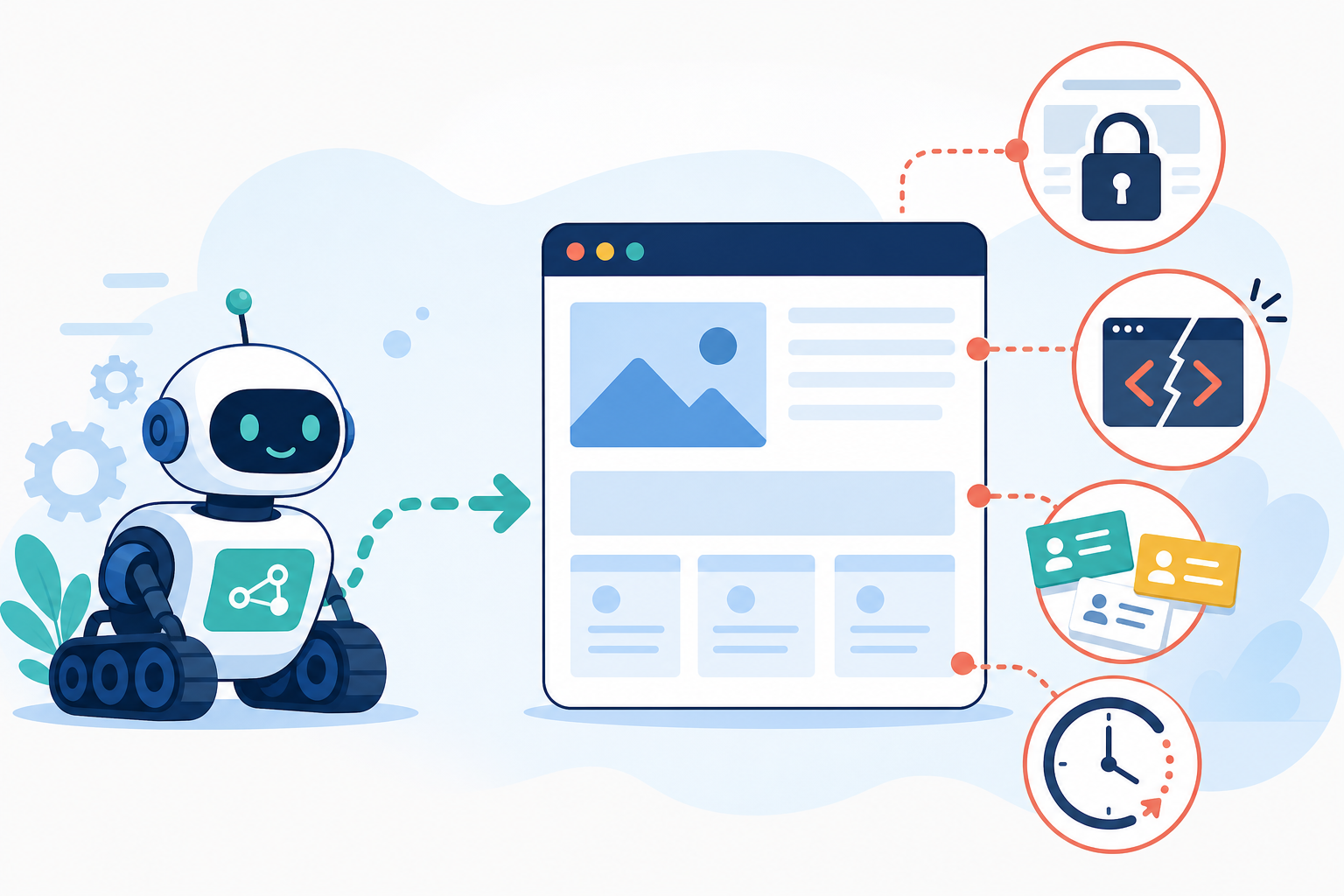
AI engines don't browse your site the way a curious customer does. Many rely on crawled indexes, retrieval layers, or cached snapshots — and those layers frequently struggle with JavaScript-heavy pages or content that only renders after an interaction.
OpenAI documents separate user agents for this purpose:
- GPTBot: Used for training-related crawling.
- OAI-SearchBot: Used to surface sites in ChatGPT search results.
- ChatGPT-User: Used for retrieval triggered by a live user request.
Perplexity runs its own PerplexityBot for search and discovery, while Anthropic runs ClaudeBot. None of these are guaranteed to see your site the way you see it in a browser.
A site can allow one crawler while inadvertently blocking another. This is worth checking specifically: blocking GPTBot's training crawler doesn't automatically block OAI-SearchBot's retrieval crawler, and vice versa.
What does the evidence say about AI visibility?
In our own internal tracking at MentionOwl, sites that fail five or more of the 16 AI SEO audit items below show lower share of voice in AI-generated answers compared with competitors that pass the same checks, even when both businesses offer comparable services in the same city.
I want to be careful about what that observation does and doesn't establish. It's a correlation from our audit sample, not a controlled experiment, and I can't rule out that lower-legibility sites also tend to be weaker on signals we don't measure directly, such as review volume or Google Business Profile completeness.
What I can say with more confidence is the mechanism it's consistent with: legibility failures at the access and extraction stages can remove you from consideration before sentiment, pricing, or reputation ever get a chance to matter.
The broader market context is worth grounding in published research rather than my own audits. Adobe Analytics reported a 1,300% increase in generative-AI referral traffic to US retail sites between July 2024 and February 2025, with that AI-referred traffic converting at a 12% lower bounce rate and 23% more pages per visit than non-AI traffic (Adobe Digital Insights, 2025).
That's a reasonably strong signal that people arriving via an AI recommendation are further along in their decision-making than a typical search visitor. However, this is US retail data, and UK small-business behaviour hasn't been measured at the same scale yet.
Gartner has separately forecast a 25% decline in traditional search engine volume by 2026 as AI chatbots and assistants absorb queries that used to go directly to a search results page. Treat this as a forecast rather than a settled fact, since it hasn't yet resolved.
For a UK plumber in Bristol or an accountant handling freelance tax returns in Leeds, the practical version of this trend is straightforward: local buyers are increasingly typing questions directly into ChatGPT or Gemini rather than Google. Your website is only one of the sources those models draw on — your Google Business Profile listing, directory entries, and review sentiment also feed the same answer.
Can AI Bots Read Your Website? A 16-Point AI Legibility Checklist
This is the checklist I use across audits. I've grouped it into six categories, and for each item I've included what to check, what a pass looks like, and what to do if it fails.
None of these checks require code changes for most small business platforms. I'll flag the two or three that genuinely need developer time.
Access and crawlability
1. Check whether robots.txt allows AI-specific user agents
Check: Visit yoursite.com/robots.txt and look for disallow rules affecting GPTBot, OAI-SearchBot, ChatGPT-User, PerplexityBot, ClaudeBot, or Google-Extended.
Pass: No blanket disallow rule catches these tokens.
Fix: Remove the rule or scope it to exclude only the paths you genuinely want private, such as admin areas.
2. Check whether bot-management tools block legitimate AI crawlers
Check: Review your security plugin or web application firewall (WAF) settings for a "block all bots" or "challenge unknown user agents" rule.
Pass: Known AI crawlers are explicitly allow-listed.
Fix: Add exceptions for the user agents above. This is a common blind spot, since automated bot traffic overtook human traffic on the internet for the fifth consecutive year in 2023, and roughly a third of all traffic was classified as "bad bots" (Imperva Bad Bot Report, 2024). That is exactly why many small businesses now run firewalls aggressive enough to catch legitimate AI crawlers too.
3. Check whether server response times cause crawler timeouts
Check: Run your homepage through a free page-speed test and look at time to first byte (TTFB).
Pass: Response times are consistently under roughly 1–2 seconds.
Fix: Upgrade shared hosting if a traffic spike or resource-limited plan is causing timeouts before rendering even begins. This is one of the few checklist items where a hosting change, not a code change, is the actual fix.
Technical rendering and website accessibility
4. Check whether core content is visible without JavaScript
Check: Use a free crawler-rendering test or view your page's source with JavaScript disabled.
Pass: Your services, pricing, and contact details are present in the raw HTML.
Fix: This typically needs server-side rendering or a static-generation approach. It is one of the few items where a developer may be necessary.
5. Check whether important content is hidden behind interactions
Check: Does anything important require a click, an "accept" action, or a scroll-triggered load to appear?
Pass: Key facts are present on the initial page load.
Fix: Move essential information above any interactive gate, pop-up, cookie wall, or infinite-scroll element.
6. Check whether your XML sitemap is current
Check: Visit yoursite.com/sitemap.xml.
Pass: It lists your live pages and returns a 200 status.
Fix: Most content management systems generate an XML sitemap automatically through a plugin or built-in feature. Submit it through Google Search Console if you haven't already.
Entity consistency and structured data
7. Check whether your NAP details are consistent
Check: Compare the business name, address, and phone number in your footer, contact page, Google Business Profile, and other important listings. Include postcode formatting and whether you use "Ltd" consistently.
Pass: Your NAP data uses the same format everywhere.
Fix: Pick one canonical format and update every instance.
8. Check whether your LocalBusiness or Organization schema is accurate
Check: Run the relevant page through Google's free Rich Results Test.
Pass: There are no errors, and the schema's address and phone number match the information visibly displayed on the page.
Fix: Most content management systems have a plugin or built-in setting that adds this in under 10 minutes. Always check that automatically generated schema matches the visible content.
9. Check whether your business details match across third-party listings
Check: Search your business name and compare directory listings, review platforms, social profiles, and your website.
Pass: The same business name and contact details appear everywhere.
Fix: Claim and correct outdated directory entries. Remove duplicate listings where possible.
Content extraction and answer clarity
10. Add an answer-first paragraph near the top of key pages
Check: Does the first paragraph of your service page directly answer a likely customer question, or does it open with a slogan?
Pass: A fact-based answer appears within the first two sentences.
Fix: State what you do, who you serve, where you operate, and any useful starting price or availability information in plain language.
11. Use descriptive, question-shaped headers where relevant
Check: Do your headers mirror natural questions, such as "What does a boiler service cost in Bristol?" rather than simply "Our Services"?
There is no publicly verified evidence that any AI model has a documented preference for question-format headers specifically. However, question-shaped headings make a page's structure easier for both humans and machines to parse, which is a defensible reason to use them when they fit the content.
12. Add a visible FAQ section with clear answers
Check: Do you have five or more common customer questions answered directly, with matching schema markup where appropriate?
Pass: Each question has a concise, standalone answer that is also visible on the page.
Fix: Add an FAQ section to relevant service and location pages. Treat FAQPage schema as a clarity aid rather than a guaranteed citation trigger — I haven't seen independently verified data confirming that any specific AI engine weights FAQPage schema above well-structured prose.
Trust signals and site structure
13. Add bylines, dates, and cited sources to key content
Check: Does your content show who wrote it and when it was last updated?
Pass: Authorship, publication dates, and relevant sources are visible.
Fix: Add these details to informative articles and important service content. They are the same E-E-A-T signals Google has rewarded for years and plausibly help a model judge whether a claim is current, although I would stop short of calling this a proven causal lever for AI citation specifically.
14. Use internal links to connect related pages
Check: Can you navigate from your homepage to every important service and location page in two clicks or fewer?
Pass: Your homepage, service pages, location pages, and supporting guides are connected through relevant contextual links.
Fix: Add internal links between related pages so a retrieval system can build a fuller picture of what your business does and where it operates.
Ongoing AI visibility monitoring
15. Track whether AI engines mention your business
Check: Manually ask ChatGPT, Gemini, and Perplexity the questions a customer might ask about your industry and location.
Pass: Your business appears somewhere in the answer, ideally with accurate details and a citation.
Fix: If it doesn't appear, revisit items 1–14 before assuming the issue is competitive rather than technical.
16. Compare your business with named competitors
Check: Ask the same questions and note which competitors appear, in what order, and with what sentiment.
Fix: This is the item most businesses skip, and it is the one that shows whether your AI legibility improvements are translating into recommendations.
How to Structure Content for AI Fact Extraction
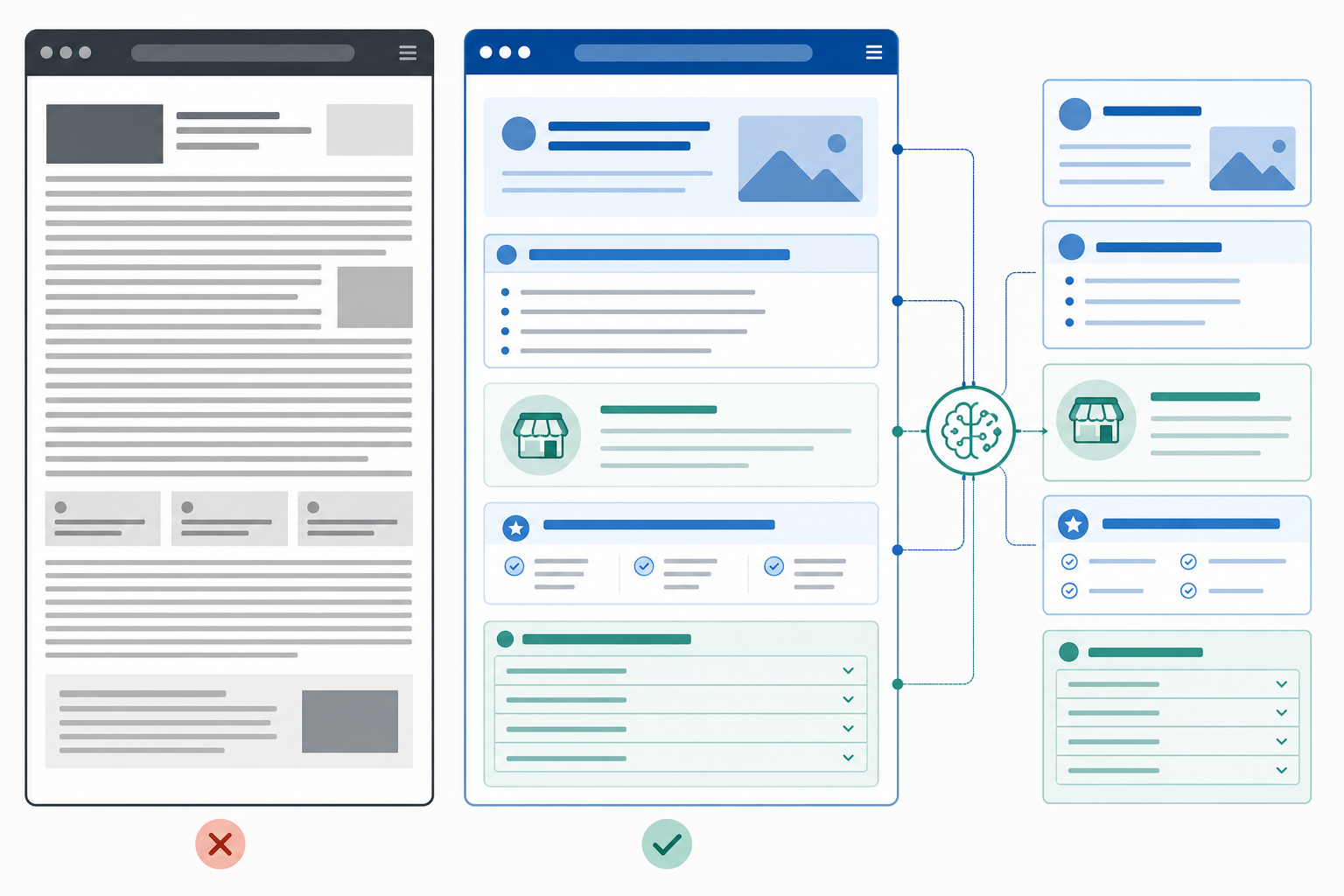
Once a page is accessible, the next question is whether it is written in a way that makes extraction easy rather than ambiguous.
Google's own guidance is that no AI-only content format is required. The same helpful, well-organised content that serves human readers tends to support AI extraction too.
Most of the recommendations below are best practices grounded in clarity and human readability, not documented, model-specific preferences. I haven't found publicly verified evidence that ChatGPT, Gemini, and Perplexity share a universal preferred word count, heading pattern, or list format. Treat anyone claiming otherwise with some scepticism.
With that caveat in place, here are the content clarity principles I look for in every AI SEO audit:
- Use answer-first paragraphs. State the direct answer to a likely customer question near the top of the page. The inverted pyramid, borrowed from journalism, helps both a skimming human reader and a system trying to isolate a discrete fact.
- Use bullet points and numbered lists for comparisons. Pricing tiers, service steps, and feature comparisons are easier to parse as explicit lists than as dense paragraphs where structure must be inferred.
- Choose plain, specific language over marketing language. "Boiler servicing from £80, with same-week appointments available across Bristol" gives a model something concrete to extract. "Industry-leading heating solutions" does not.
- State currency, units, and dates explicitly. If you're a UK business, use £ and UK date formats consistently. Ambiguity creates exactly the kind of conflicting-fact problem that makes a model decline to cite a figure.
- Keep key facts close to relevant headings. Place opening hours, service areas, prices, qualifications, and contact details near descriptive headings so their context is clear.
- Avoid contradictory information. If one page says you serve Bristol and another says you serve Bristol and Bath, clarify the difference rather than leaving multiple interpretations for an AI system to reconcile.
One number worth considering: Pew Research Center found that AI summaries now appear in roughly 18% of Google searches, and that users click through to a cited source in only about 1% of those AI-summary visits (Pew Research Center, 2025).
That's a sobering figure for anyone thinking purely in terms of website traffic. It suggests your business may be quoted, summarised, or recommended by an AI system without ever generating a click, which is precisely why AI visibility monitoring — not just traffic analytics — has become a reasonable addition to your marketing toolkit.
AI Legibility Audit vs Traditional SEO Audit: What's Different?
| Traditional SEO Audit | AI Legibility Audit |
|---|---|
| Search intent, content quality, and topical coverage | Fact extractability and answer clarity |
| Backlink profile and domain authority | Citation-readiness and entity consistency |
| Core Web Vitals and page speed | Crawler accessibility for AI-specific user agents |
| Meta tags, title tags, and internal linking | Structured data completeness and accuracy |
| Search engine ranking position as a technical audit input | Presence, position, and sentiment in AI-generated answers as a monitoring outcome |
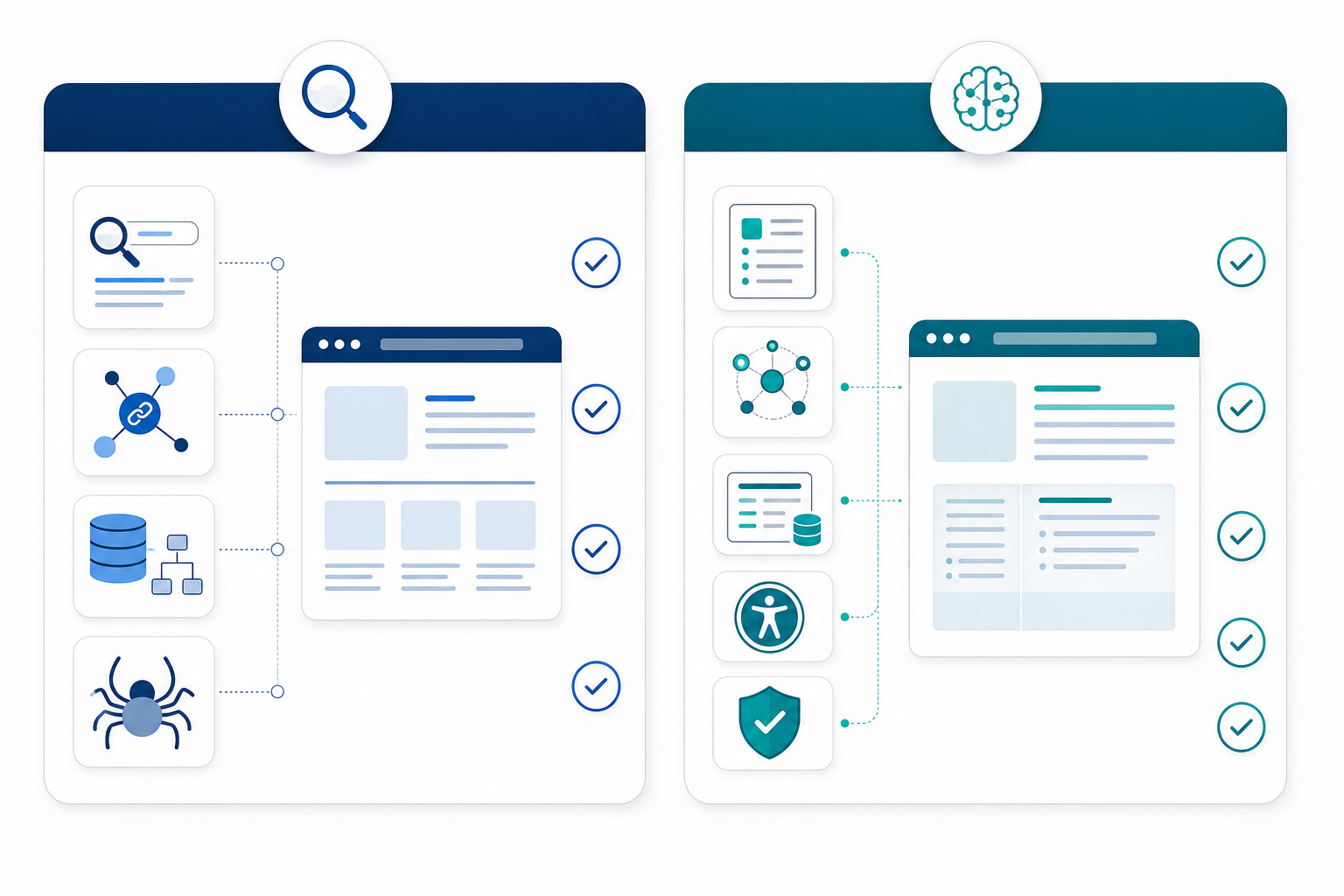
There's real overlap, and I don't want to overstate the divide. Both disciplines care about site speed, mobile usability, and clean HTML, and Google is explicit that AI features build on the same foundational technical requirements as conventional search.
AI legibility is not a replacement for SEO. It is an additional layer that targets the access, extraction, and entity-consistency stages described above.
That's why a site can rank well on Google while remaining invisible — or worse, being misrepresented — in ChatGPT or Gemini answers. A page can satisfy every ranking factor Google cares about while still stating its address three different ways, lacking accurate structured data, or hiding pricing behind an interactive widget a crawler cannot trigger.
Quick AI Legibility Fixes You Can Make This Week
If you've run the 16-point checklist above and found several failures, don't try to fix everything at once. Here's the priority order I'd suggest, based on which failures tend to block the most stages at once:
- Fix robots.txt and firewall blocks first — checklist items 1–2. If a crawler cannot reach you at all, nothing else on this list matters yet.
- Consolidate your NAP data — item 7. Use one format, including postcode and phone formatting, in your footer, contact page, Google Business Profile, and key directory listings.
- Add accurate LocalBusiness schema — item 8. Use Google's free Rich Results Test to check it. Most CMS platforms, including WordPress, Squarespace, and Shopify, have a plugin or setting that handles this in under 10 minutes.
- Rewrite your homepage opening paragraph — item 10. State what you do, who you serve, and where you operate in plain factual sentences.
- Add a visible FAQ section — item 12. Cover your five most-asked customer questions and use FAQPage schema where it is appropriate and supported.
- Run a crawler-rendering test — item 4. Compare what a bot without JavaScript execution sees with what a human sees in a browser. This tells you whether you're facing a quick content fix or a genuine developer job.
A developer becomes genuinely necessary when you need to fix server-side rendering issues or migrate away from a JavaScript-dependent framework that AI crawlers consistently fail to parse. That's a bigger piece of work, but it is worth addressing once you've confirmed through item 4 that rendering is the actual bottleneck.
When Should You Consider a Professional AI SEO Audit?
DIY fixes have a ceiling. Once the basic AI legibility items are resolved — schema is in place, NAP data is consistent, robots.txt is clean, and an FAQ section is live — the harder and ongoing work becomes monitoring how AI engines actually cite and rank your business against named competitors.
It may be worth bringing in dedicated AI SEO audit software or professional support if:
- You operate across multiple locations, where NAP consistency becomes more complex.
- Your website runs on a JavaScript-heavy framework that is expensive to re-platform.
- Your directory and review-platform listings contain inconsistent information.
- You want to track which competitors appear in AI answers instead of your business.
- You need ongoing monitoring across several generative search platforms.
This is the layer MentionOwl was built for, and I'll be direct that this is our product. Rather than a one-off audit that goes stale within weeks, our platform runs all 16 checklist items continuously, paired with daily AI visibility tracking across ChatGPT, Claude, Gemini, Copilot, and Perplexity.
We auto-generate the customer questions people are likely to ask about your industry, run them against major AI platforms, and record the answers, citations, sentiment, and competitors appearing in your place.
If you want to see where your business currently stands before committing to anything, we offer a £1, 7-day trial — enough time to review your AI legibility checklist results and see which competitors are being recommended over you.
Frequently Asked Questions About AI Legibility
Can AI bots read my website, or do I need to check this manually?
Most AI crawlers can read standard HTML content, but they frequently struggle with JavaScript-rendered pages, content behind interactive elements, or pages blocked by robots.txt rules that were not written with AI user agents in mind.
Behaviour also varies by platform. GPTBot, PerplexityBot, and ClaudeBot do not necessarily encounter your site in the same way. A reasonable manual check is to fetch your page with JavaScript disabled and see what remains. It is not a perfect proxy for every AI crawler, but it is a useful approximation for several of them.
What blocks AI crawlers from understanding my website?
The most common blockers across the audits I run are missing structured data, JavaScript-only content rendering, inconsistent business information across pages, and thin content that gives an AI model nothing concrete to extract or cite.
Server timeouts and slow load speeds can compound the problem by causing crawlers to abandon the page before rendering completes. Content hidden behind pop-ups, cookie walls, or user interactions can also limit what a crawler can access.
Do I need a developer to fix AI legibility issues?
Not for most of the checklist. Schema plugins, robots.txt edits, and content rewrites are achievable without code on most CMS platforms, including WordPress, Squarespace, and Shopify.
A developer may be necessary for server-side rendering fixes or for migrating away from a JavaScript-dependent framework that AI crawlers cannot reliably parse.
Does blocking one AI crawler block them all?
No. GPTBot, OAI-SearchBot, ChatGPT-User, PerplexityBot, ClaudeBot, and Google-Extended are separate tokens with separate purposes. Some relate to model training, while others are used for live search or retrieval.
You can block a training crawler while leaving a search-retrieval crawler untouched, or vice versa. Check each user agent individually in your robots.txt rather than assuming one rule covers all AI traffic.
How is an AI legibility audit different from a normal SEO audit?
A traditional SEO audit is built around search-engine ranking factors such as search intent, backlinks, technical performance, and Core Web Vitals.
An AI legibility audit specifically checks whether generative engines like ChatGPT, Gemini, and Perplexity can crawl, parse, and confidently extract citable facts from your website. It includes checks around structured data, AI crawler accessibility, entity consistency, and answer clarity.
Passing those checks removes barriers to citation and recommendation, but it does not guarantee that an AI engine will choose your business over a competitor.
What should I check first in an AI SEO audit?
Start with access and crawlability: robots.txt, firewall rules, server response times, and JavaScript rendering. Then check NAP consistency, LocalBusiness schema, answer-first content, and third-party listings.
These technical and structural improvements can help ensure that AI systems can access and accurately understand your business before you invest time in more advanced AI visibility monitoring.