AI Legibility Checklist: Is Your Site Readable by AI? A 16-Point DIY Audit for 2026
Learn what AI legibility means and run through a practical 16-point checklist to see if ChatGPT, Perplexity, and Gemini can actually read and recommen
AI Legibility Checklist: 16 Ways to Make Your UK Small Business Website Easier for AI to Read
Meta description: Use this practical, no-developer-required AI legibility checklist to help ChatGPT, Perplexity, Claude, and Google's AI Overviews find, understand, and cite your UK small business website.
AI legibility measures whether generative AI tools (including ChatGPT, Perplexity, Google's AI Overviews, and Claude) can crawl, parse, and confidently extract facts about your business when someone asks a question that your business could answer. It's a close cousin of AI SEO and AI visibility, but it's narrower: legibility is specifically about whether your site's technical structure lets a machine read it accurately, not about your rankings, reputation, or reviews.
I want to be precise about what that does and doesn't mean. A legible site doesn't guarantee a citation; relevance, review volume, proximity, pricing, and the way each AI product selects sources all matter too. But across the small business websites I've reviewed, legibility is one of the more fixable reasons a business gets skipped in an AI answer, even when it's the stronger option on price or service quality. A full 16-point audit covering structured data, crawlability, content clarity, and trust signals usually takes 45 to 90 minutes for a straightforward site, longer if your website relies heavily on JavaScript rendering. Most checks need no coding at all; a handful benefit from basic HTML familiarity or a short list handed to a developer.
Here's an illustrative scenario I've seen play out in slightly different forms many times: a local plumber has a newer van, better reviews, and lower callout fees than the competitor two streets over. When I ask ChatGPT or Perplexity, "Who's a reliable emergency plumber near me?", the competitor gets named and the better business doesn't, not because the AI judged the work, but because the competitor states its service area, hours, and pricing in plain text, while the better business buries the same facts inside an image-heavy homepage slider that no crawler can reliably read. That's the practical importance of AI legibility. It's rarely the only factor, but it's often decisive when two businesses are otherwise closely matched.
What is AI legibility and why does it matter?
AI legibility overlaps with SEO but isn't identical to it. Google's own guidance confirms that foundational SEO practices remain relevant for AI Overviews and AI Mode; there's no secret schema tag exclusive to AI (Google Search Central, "AI features and your website"). But the mechanics of how different systems decide what to cite vary, and treating ChatGPT, Claude, Perplexity, and Google's AI features as one interchangeable system is a mistake.
Here's what's actually documented, rather than inferred: Google's AI Overviews draw from Google's existing Search index, built through the standard Googlebot crawl. Google-Extended is a separate, opt-in control governing whether Google can use your content to train generative models. It is not the same as blocking Googlebot from Search, and confusing the two risks accidentally deindexing your site (Google, "Google-Extended"). OpenAI's ChatGPT can use licensed data, historical training data, and, when browsing is enabled, live retrieval governed by GPTBot's published crawler behaviour (OpenAI, "GPTBot"). Perplexity uses PerplexityBot to fetch and check live pages against a query (Perplexity, crawler documentation). Claude's access depends on ClaudeBot's crawl permissions and Anthropic's retrieval infrastructure (Anthropic, crawler documentation). Each provider publishes its own robots.txt user-agent string and its own policy on how blocking affects eligibility. Check the current documentation for each platform rather than relying on any single article, including this one, since these policies change.
The practical distinction I explain to clients is this: Google's index is refreshed continuously against thousands of accumulated signals. Conversational AI systems are often working against a narrower slice of information at the moment a question is asked: a cached snapshot, a live retrieval call, or a structured data fragment. That doesn't mean there's no second chance ever, but it does mean unclear or contradictory content is less likely to be resolved in your favour on a single pass.
| Dimension | Traditional Search Ranking | AI Answer Citation |
|---|---|---|
| Access | Continuous crawl and index refresh | Cached snapshot or live retrieval call, provider-dependent |
| Rendering | Increasingly handles JavaScript | Documentation suggests a preference for content present in raw HTML |
| Citation | Position in a results list | A named mention with attached confidence |
| Guarantee | None, rankings shift constantly | None, allowing a crawler removes a barrier, not a guarantee |
One clarification worth stating plainly: being crawlable is not the same as being recommended. A business can be perfectly legible to every AI crawler and still lose out on a citation because of proximity, review volume, or how a specific product weights its sources. This checklist fixes the access and clarity problem. It doesn't replace reputation, pricing, or genuine service quality.
16 AI legibility checks every small business website should pass
I've grouped these into four categories mapping to what any AI system needs before it can cite you: read your markup, access your content, extract facts accurately, and trust what it finds. If you only have 15 minutes, start with checks 1, 5, 9, and 11; they catch the most common AI legibility failures I see.
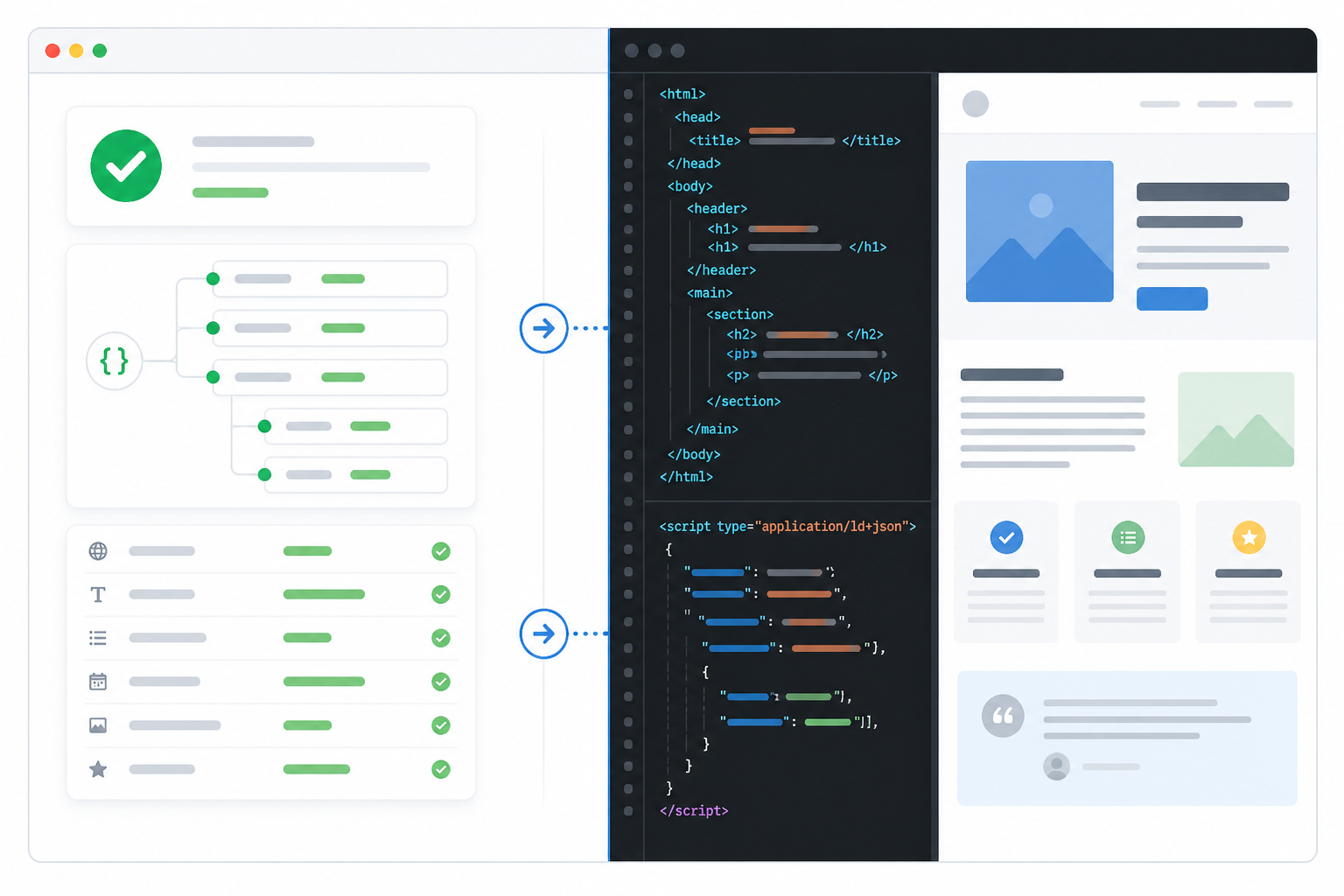
1. Structured data and website markup
Schema helps machines interpret entities on your page. It is not a confirmed ranking or citation lever for AI systems specifically, and Google's Rich Results Test validates certain Google-supported rich-result features rather than guaranteeing AI legibility broadly, so treat these as clarity checks, not magic switches.
- LocalBusiness or Organization schema is present and valid. Paste your homepage URL into Google's Rich Results Test. Pass: it detects a LocalBusiness or Organization type with no errors.
- Schema matches what's visible on the page. Compare the address, phone number, and hours in your schema output against what a visitor sees. Pass: exact match, including formatting.
- FAQ schema exists only where a genuine, visible FAQ exists. Every question marked up should be readable by a human on that page. Google's guidelines discourage using FAQ schema purely to chase a rich result.
- Review or rating schema reflects your actual displayed reviews. Confirm the star rating and count match what's shown on the page, sourced from a genuine platform, not an inflated or outdated figure.
2. Crawlability and technical access
- Robots.txt doesn't unintentionally block AI crawlers. Visit yourdomain.com/robots.txt and search for GPTBot, ClaudeBot, PerplexityBot, and Google-Extended. Pass: none are disallowed unless you've made a deliberate, informed decision. DIY-friendly.
- Core content doesn't require JavaScript execution to appear in the HTML source. Right-click the page, choose "View Page Source," and search for your key service text. Pass: your main content is visible in the raw HTML. Escalate to a developer if your site uses a JavaScript framework and the content is missing; this typically needs server-side rendering.
- A current XML sitemap is submitted and canonical tags point to the correct URL. Visit yourdomain.com/sitemap.xml, then view source on key pages and search for rel="canonical". Pass: the sitemap lists your important pages with recent dates, and canonicals point to the page you actually want cited, not a duplicate.
- Pages load and render core content quickly, without long client-side delays. Run your homepage through Google's PageSpeed Insights. Pass: core text content appears well before full interactivity, without visible layout shifting that delays text availability.
3. Content clarity and factual extraction
- Core facts, hours, address, services, and prices, are in plain text, not locked inside images. Try to select and copy the text with your cursor. Pass: you can copy it. DIY-friendly.
- Heading structure follows a logical hierarchy. View source and confirm one H1 followed by properly nested H2s and H3s.
- Key facts are consistent across your own site, Google Business Profile, and directories. Compare hours, phone number, and address across your homepage, contact page, GBP, and top directory listings. This is one of the most common failures I see, and it's genuinely DIY-friendly.
- Content answers the implied question directly, ideally in the first sentence of a section. Read your headings and ask whether the paragraph beneath answers the question immediately, or buries it three paragraphs down.
4. Site architecture and trust signals
- Internal links connect your service pages, location pages, and contact page clearly. Click through your own site as a stranger would. Pass: no important page is more than two clicks from the homepage, and service pages link to the relevant contact or booking page.
- Contact and service pages each carry their own distinct, complete facts, rather than everything living on one crowded page. Pass: someone landing directly on a service page, without visiting the homepage first, can still find your hours, service area, and pricing.
- Any video carrying key facts has a text transcript or written summary nearby. Check your video pages for accompanying text. Pass: pricing, process, or hours mentioned in a video are also stated in text on the same page.
- Author or business identity, and a visible "last updated" date, appear on key pages. Confirm your About page names real people or years of trading, and that service pages show a genuine, recently reviewed date.
Common AI legibility mistakes that hide your business
- Pricing and hours locked inside images or PDFs. Crawlers generally can't extract text from a graphic reliably.
- JavaScript-only rendering of core content. If service descriptions only appear after client-side scripts run, many crawlers see a near-empty page.
- Inconsistent NAP data across the website, Google Business Profile, and directories. Conflicting facts reduce confidence in any single source.
- Blocking AI crawlers via robots.txt without understanding the trade-off. Some businesses block GPTBot or Google-Extended out of a general privacy instinct, without realising this can also remove them from that platform's citable sources.
- Thin, generic content that never states specific facts. "We offer excellent plumbing services" doesn't answer a question as clearly as "Emergency callouts across Manchester, response within 60 minutes, fixed-fee quotes."
Quick AI SEO fixes you can do today
Do today, with no developer needed:
- Move critical facts out of images and into plain HTML text.
- Check your robots.txt file and remove any accidental disallow rules for GPTBot, ClaudeBot, or PerplexityBot, unless the exclusion is deliberate.
- Audit NAP consistency across your website, Google Business Profile, and your three most-visited directories.
- Add a visible "last updated" date to key service pages, and actually update the content when you change the date.
- Rewrite your top three service pages so the direct answer appears in the first sentence beneath each heading.
Ask your developer:
- Fix JavaScript-only rendering of core content (check 6).
- Correct canonical tags misconfigured at template level (check 7).
- Resolve schema your CMS generates but won't let you edit directly (checks 1 to 4).
Monitor monthly:
- Re-check robots.txt after any CMS or plugin update, since these can silently reset.
- Re-run the Rich Results Test after schema plugin updates.
A caution worth stating: don't change robots.txt or strip out schema you don't understand just because a checklist told you to. Validate before and after, and if you're unsure, get a second opinion before making a change that affects your entire site's visibility.
How to verify whether your AI visibility has improved
I'd avoid promising a fixed propagation window, because I don't think one exists reliably across providers. Google's index can refresh within days for some pages and weeks for others, depending on crawl budget and page authority. Retrieval-based systems like Perplexity may reflect a change on the next successful crawl, while systems relying more on periodic training snapshots may lag longer. Rather than waiting for a specific timeframe, build a simple verification log:
- Record the exact query, the date, and a location if you're checking local intent.
- Screenshot or copy the citations returned by each platform you care about.
- Note the source URL each platform cites, not just whether your business is named, since some systems name a business without linking to your site.
- Re-run the same queries every two to four weeks and track whether citation frequency changes after each fix, rather than assuming causation from a single result.
- Use Search Console's URL Inspection tool to confirm Google has actually recrawled a changed page before concluding a fix "didn't work."
This kind of logging is unglamorous, but it's the only honest way to know whether your changes are having an effect, rather than guessing from a handful of spot checks.
Why AI legibility matters for UK small businesses
UK-specific context changes some detail here, even though the underlying checks stay the same. Your Google Business Profile should use standard UK address conventions, building number, street, town, county where relevant, and postcode, and that address should closely match your website, since AI systems checking cross-source consistency are less forgiving of major discrepancies. Minor punctuation differences matter less than materially different wording or locations.
Service-area businesses covering multiple towns should state each named area explicitly in plain text rather than relying on a vague phrase like "the North West," since specific place names are what get matched against queries such as "emergency plumber in Salford."
UK directories carry real weight for local trust signals. Yell, Trustpilot, Checkatrade, and trade body registers such as Gas Safe or NICEIC are commonly cross-referenced, and inconsistent details across these sources can undermine confidence signals. Accessibility is also worth taking seriously for its own sake: the Equality Act 2010 places obligations on many UK businesses around reasonable access to information, and following WCAG guidance is good practice regardless of any AI legibility benefit. Finally, UK search behaviour leans heavily on "near me" and town-specific phrasing, so state your actual service towns in plain sentences rather than relying entirely on a map widget crawlers can't meaningfully parse.
Frequently asked questions about AI legibility
What does AI legibility mean?
AI legibility describes how easily a generative AI system (ChatGPT, Perplexity, Claude, or Google's AI Overviews) can access, read, and confidently extract accurate facts about your business from your website. It overlaps with SEO but isn't identical to it, since the mechanics of real-time citation differ from ranking a page in a search index. No checklist, including this one, can definitively guarantee whether a specific platform will cite a specific business.
How do I know if AI bots can read my site?
Check your robots.txt file at yourdomain.com/robots.txt for disallow rules affecting GPTBot, ClaudeBot, or PerplexityBot. Then view your page source and confirm your core content, not just navigation and headers, appears as plain text rather than only loading after JavaScript executes. Neither check guarantees a citation, but failing either is a reliable sign you're being excluded before a system even judges your content.
Do I need a developer to fix AI legibility issues?
Not for most of the 16 checks here. Editing robots.txt, correcting schema through a plugin, fixing NAP inconsistencies, and rewriting content to state facts in plain text are all achievable without coding experience. You'll likely need developer help if your core content only renders through JavaScript, if canonical tags are misconfigured at template level, or if your CMS generates schema you can't directly edit.
How often should I recheck AI legibility?
I'd suggest a full 16-point pass every quarter, since providers update crawler behaviour, schema guidelines, and citation logic more often than most small businesses expect. Between full audits, rerun your verification query log every two to four weeks, particularly after publishing new content or changing contact details.
Final thoughts on AI SEO and AI visibility
None of this replaces good SEO, a strong reputation, or an actually good business. What it does is remove a specific, fixable barrier that stops AI systems from confidently naming you even when you deserve to be named.
Start with three steps this week: first, confirm AI crawlers can actually access your site (checks 1, 5, and 6). Second, confirm your core facts are in plain text and consistent everywhere they appear (checks 9 and 11). Third, log a handful of test queries across ChatGPT, Perplexity, and Google's AI Overviews, then recheck in a month.
That's a realistic, evidence-based way to work on your AI visibility, and it's how you become the business an AI system actually cites, rather than the one it quietly skips.