AI Legibility Checklist: Can AI Crawlers Read Your Website?
Use this 16-point AI legibility audit to check crawler access, JavaScript rendering, headings, structured data and sitemaps—and improve AI visibility.
AI legibility is how easily AI crawlers can access, parse and understand your website, and it determines whether generative engines can cite you at all. In our analysis, most failures trace back to a handful of fixable problems: bots blocked in robots.txt, content that only appears after JavaScript runs, vague headings and missing structured data. Work through the 16 checks below in order, fix the access problems first, then automate the audit so regressions don't slip by unnoticed. 🦉
I'm Marcus, the data analyst at MentionOwl, and this checklist mirrors the kinds of checks in our own 16-point AI legibility audit. I wrote it for solo founders who don't have time to ask ChatGPT, Claude and Perplexity the same questions every morning, and who need to know why an assistant is ignoring them, not just that it is.
Why crawlability decides your AI visibility
A generative engine can only cite what it can fetch, parse and interpret. That sounds obvious, yet it is the most overlooked precondition for any AI visibility score. If a page is blocked, rendered invisibly or structured ambiguously, excellent writing won't earn a citation. Google is explicit that crawlability is a prerequisite, not a guarantee: its AI features rely on the same foundational SEO practices as regular Search, and a page generally needs to be indexed and eligible to appear with a snippet to be considered as a supporting link.
Not all AI crawlers are the same
Treating 'AI bots' as one entity is a common mistake. The major providers document several distinct crawler identities, each with a different job:
- Training crawlers collect content that may be used to improve models. OpenAI's GPTBot is the documented example, and Google-Extended is a control token for Google's generative AI uses.
- Search and retrieval crawlers surface sites in AI answers. OpenAI identifies OAI-SearchBot as the crawler used to surface websites in ChatGPT search, and Anthropic documents Claude-SearchBot alongside ClaudeBot. PerplexityBot plays a similar retrieval role.
- User-triggered fetchers act when a person asks an assistant to open a page. ChatGPT-User is one example.
The distinction matters because a rule for one crawler does not automatically control another. A site that disallows OAI-SearchBot may limit its eligibility to appear in ChatGPT search even while permitting other search crawlers. A founder who wants to be discoverable in ChatGPT but would rather not contribute to model training should review those rules separately, and check each provider's current documentation, since names and behaviours change.
Why solo founders are especially exposed
A larger company has a technical team that notices when something breaks. You probably have a CMS, a few plugins and a CDN, and any one of them can silently block every AI engine. A security plugin update, a Cloudflare bot-protection toggle or a staging 'noindex' setting left switched on can cut off access for weeks. Nothing looks wrong in your browser, because your browser is not a crawler.
This is also why manual chatbot querying cannot reveal causes. Asking an assistant about your brand tells you the outcome on one day, for one phrasing. It says nothing about whether robots rules, a firewall or rendering is responsible. Effective LLM monitoring has to pair the outcome (are you mentioned?) with the diagnosis (can you be read?).
How the 16 AI legibility checks are organised
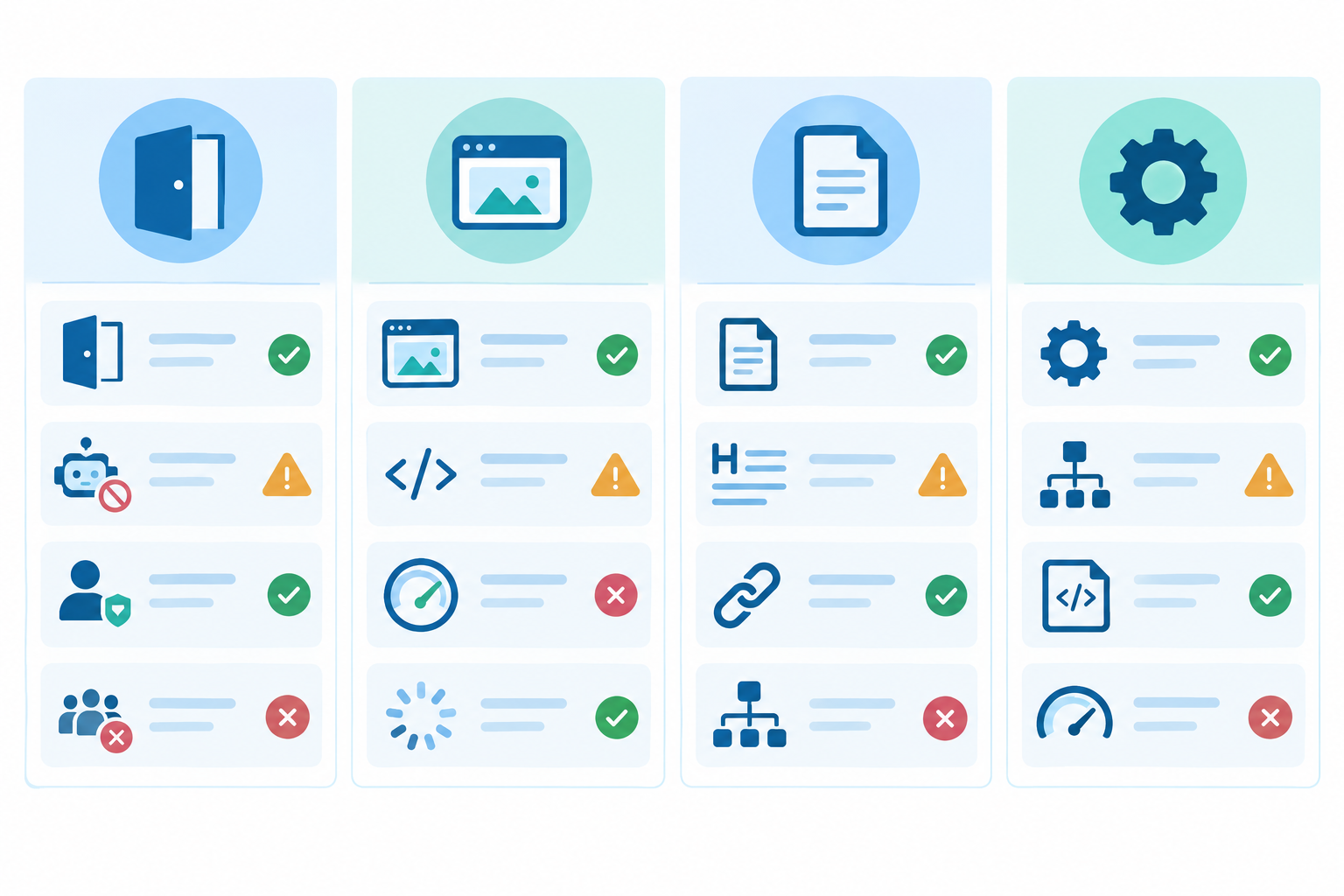
I have grouped the checks into four sets: access (Checks 1-4), rendering and reachability (Checks 5-6), content (Checks 7-11) and technical signals (Checks 12-16). The order is deliberate, because a downstream fix is worthless if an upstream blocker remains.
A note on evidence: research on AI referral growth and citation behaviour is still thin and mostly US-based. Pew Research Center's 2025 study of 900 US adults found that 58% encountered a Google AI summary at least once during the March 2025 observation period. Participants clicked a traditional result in 8% of visits when an AI summary appeared, versus 15% without one, and clicked a link inside the summary in about 1% of visits. So AI answers are widely seen and clicks are scarce, which is why being the cited source matters. It does not prove that any particular checklist item causes citations, and I will flag where the evidence is limited.
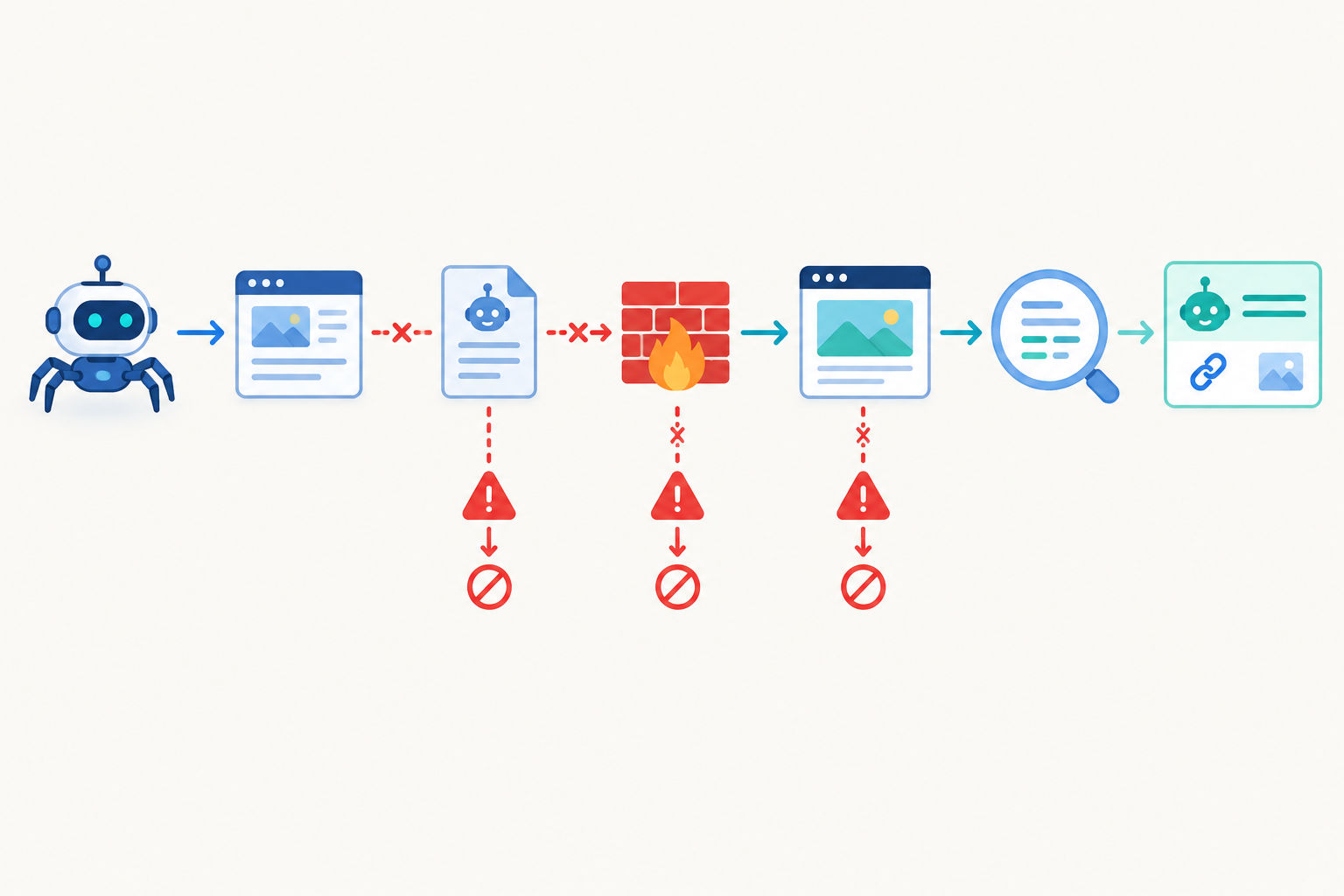
AI legibility access checks: robots.txt, crawler blocks and rendering (Checks 1-6)
Start here. If a crawler cannot reach your content, nothing else on this list matters.
Is robots.txt reachable, returning a 200 status and free of syntax errors? RFC 9309 advises publishing robots.txt at the top-level path of each scheme, host and port, so check
https://yourdomain.co.uk/robots.txtdirectly. A 5xx error, a redirect loop or a strayDisallow: /underUser-agent: *can shut out every crawler at once. Quick fix: validate the file and remove accidental wildcard Disallow rules.Are named AI user agents allowed or blocked? Look for GPTBot, OAI-SearchBot, ChatGPT-User, ClaudeBot, Claude-SearchBot, PerplexityBot and Google-Extended. Many security plugins and 'block AI scrapers' guides add blanket rules that also catch retrieval bots. Quick fix: decide deliberately which bots to permit, and add explicit Allow rules for retrieval bots if you want to appear in AI answers. Remember that robots.txt is a crawl instruction, not access control, so it is no way to protect private content.
Are your CDN, WAF or bot-protection settings returning 403s or challenge pages? Robots.txt may say yes while your firewall says no. A web application firewall, bot-management product or hosting layer may return 403, 429 or challenge pages to crawlers, and rate limiting can do the same. Quick fix: test from outside your logged-in browser using curl with AI user-agent strings, inspect the real HTTP response and redirects, and review firewall logs. User-agent strings can be spoofed, so verify genuine crawlers against the provider's published IP ranges or verification method where one exists.
Are meta robots tags or X-Robots-Tag headers set to noindex or nosnippet on key pages? These directives are often inherited from templates, plugin defaults or a staging setting that was never switched off. A nosnippet directive in particular can undermine eligibility to be quoted. Quick fix: audit templates and plugin defaults, then check response headers as well as page source.
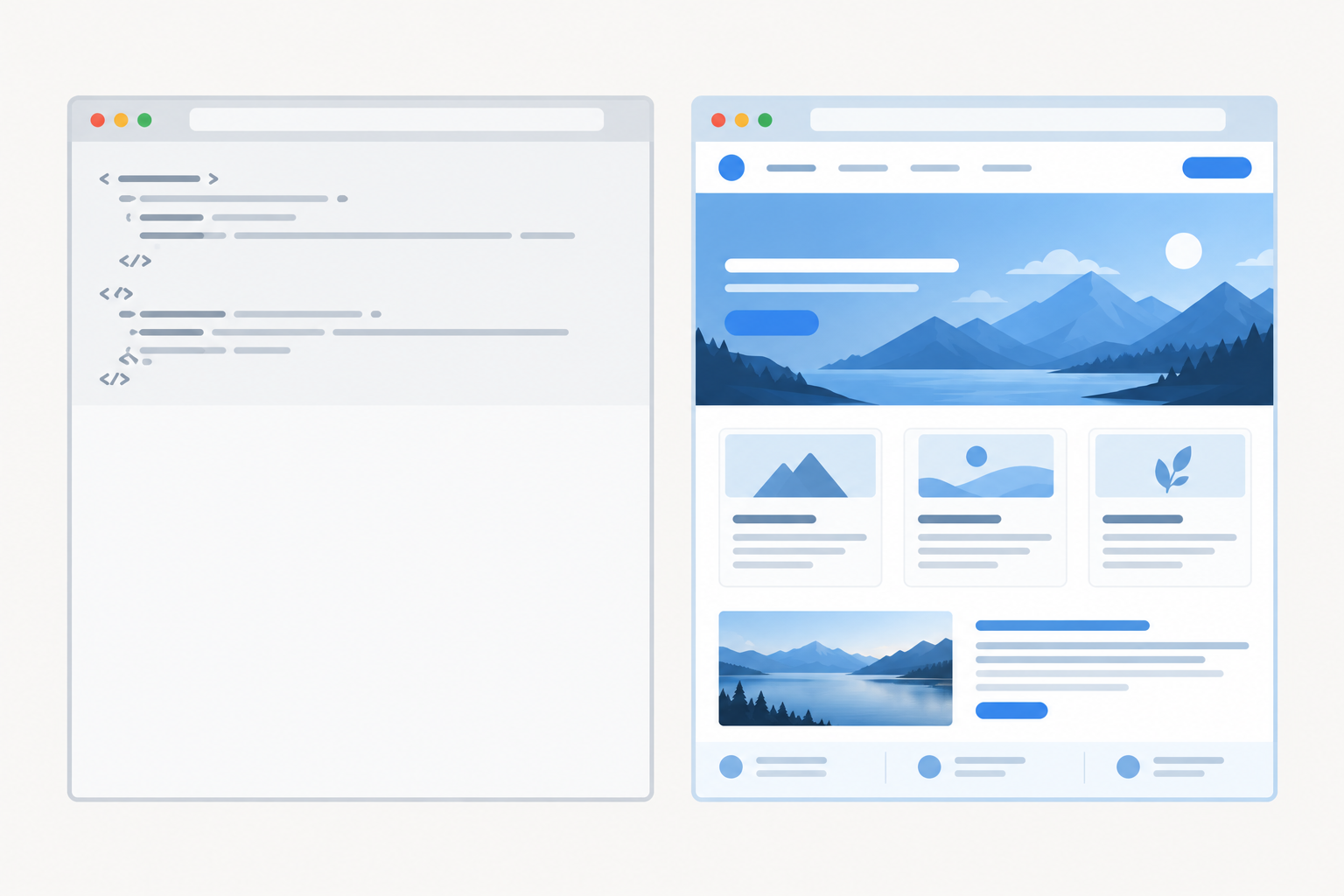
Is your core content present in the raw HTML response, without JavaScript execution? Google can render JavaScript, but rendering can be delayed, and other bots may not execute it the way a browser does. Compare view-source with the rendered page, and confirm that the main text, links, canonical URL and metadata appear in the raw version. Also check that robots rules don't block the scripts, stylesheets or API endpoints needed to render the page. Quick fix: move to server-side rendering or pre-rendering for pages you want cited.
Are key pages free of login walls, cookie walls, interstitials and redirect chains? Google notes that Search does not click tabs, scroll to reveal content or submit forms, and AI crawlers should be assumed to behave similarly. Quick fix: keep pricing, product and FAQ pages publicly reachable in a single hop, with no consent overlay hiding the text.
How to check whether AI crawlers are blocked
There are four methods, in ascending order of effort. Review robots.txt for rules that affect AI user agents. Run curl tests with those user-agent strings and read the status codes. Analyse server or CDN logs for 403, 429 and challenge responses. Then run an automated audit that performs all of these together. The first two take about ten minutes and catch the majority of problems I see.
Can AI bots read JavaScript-heavy sites?
Treat server-rendered HTML as the safe default. A site that serves a JavaScript shell to browsers while its content API is withheld from bots can look perfectly readable to a human and still give a crawler almost no substantive text. An interactive browser view is not proof that a crawler receives the same content.
AI legibility content checks: headings, answers and clarity (Checks 7-11)
Once a crawler can read the page, the question becomes whether it can understand it. These checks are about extractability, meaning how easily a passage can be lifted, quoted and attributed.
Does each page have one clear H1 and a logical H2/H3 hierarchy that mirrors real customer questions? W3C guidance explains that headings communicate the organisation of content, and that semantic heading elements identify structure programmatically, whereas text that merely looks large or bold may not. Quick fix: rewrite vague headings such as 'Our Approach' into descriptive or question-led ones, for example 'How we price bookkeeping for sole traders'.
Is the direct answer stated early, in roughly the first 100 words? Google's people-first content guidance supports answering the likely question directly, then adding evidence and qualifications. That reduces ambiguity when a system extracts a passage. Quick fix: add a concise summary paragraph beneath the H1. Treat this as a clarity practice, not a guaranteed citation technique.
Is it unambiguous what your business is, who it serves and where? For UK businesses, that includes market signals such as prices in GBP, regional wording and a clear service area. Pages that lean on 'we' and 'it' without ever naming the subject force a model to guess. Quick fix: add a plain-language 'what we do' statement to your homepage and About page, naming the business, the audience and the location.
Are claims specific and verifiable? Named sources, dates, numbers and author or company details give an engine something concrete to attribute. Unexplained jargon and unsupported superlatives do the opposite. Quick fix: replace phrases like 'industry-leading' with facts, and add visible 'last updated' dates.
Is key information in text rather than locked inside images, PDFs, video or tabs and accordions? Content that requires interaction, or that exists only as pixels, may never reach the parser. Quick fix: add transcripts and alt text, publish text equivalents of PDFs, and make sure accordion content is present in the HTML.
There is a direct line from these checks to share of voice and ChatGPT citations. When your answer to a buyer's question is a self-contained, clearly headed passage, an engine can quote it and attribute it to you. When it is buried in a carousel, the engine is more likely to quote a competitor. Google states that no special AI markup is needed for its AI features, and no published study guarantees that a given heading style produces a citation. These are sound practices, not proven levers.
AI legibility technical signals: schema, sitemaps and llms.txt (Checks 12-16)
Technical signals won't rescue an unreadable page, but they help engines discover, interpret and attribute pages that are already accessible.
Is there a valid XML sitemap, referenced in robots.txt, with canonical URLs and accurate lastmod dates? A sitemap is a discovery aid and does not guarantee crawling or indexing. Keep entries canonical and current, and update lastmod only for meaningful changes. A single file may hold up to 50,000 URLs or 50 MB uncompressed, which is far beyond what most small sites need. Make sure important pages also have crawlable internal links.
Is structured data present, valid and consistent with visible content? Use JSON-LD for Organization, Product, FAQPage, Article and LocalBusiness where relevant. Quick fix: add the markup and validate it with Google's Rich Results Test and the Schema.org validator. Google says structured data helps it understand a page but guarantees neither rich results nor better rankings. The evidence for schema's direct effect on AI citations is still developing, while its value for clarity and machine parsing is well established. Treat it as a machine-readable description of the page and never as a substitute for crawlable text.
Are canonical tags, HTTPS, status codes and hreflang (en-GB) set up correctly? Conflicting canonicals, mixed HTTP and HTTPS versions or soft 404s can lead an engine to attribute your content to the wrong URL, or to none. If you serve a UK audience,
hreflang="en-GB"clarifies the intended market.Do pages load quickly and reliably, without broken internal links? Crawlers operate under time limits. Slow responses, oversized pages and broken links raise the chance of a timeout or an incomplete fetch. Check server response times and run a broken-link scan.
Is there an llms.txt file? This is an emerging, unofficial proposal for a Markdown file at your site root that gives language models a concise guide to your content. No major engine has confirmed it as a ranking or citation factor. It costs little to publish, so treat it as an optional extra once the fundamentals are done, and verify that every linked URL works without client-side rendering.
One more thing. sameAs links in your Organization markup, plus consistent brand naming across your website and profiles, help engines resolve your entity, so they know the 'Acme Ltd' on your site is the same 'Acme' on LinkedIn and Companies House.
How to run an automated AI legibility audit
A one-off manual pass is useful, but legibility decays. Plugins update, CDN rules change, a developer adds a noindex tag. This is the workflow I recommend:
- Run a baseline audit of all 16 checks and record each as pass, warning or fail.
- Prioritise by impact: access blockers first, then rendering, then content, then technical signals.
- Re-test after each change and keep a simple change log with dates, so you can connect a fix to any later movement.
- Connect legibility to outcomes. Track your AI visibility score, citations, sentiment and competitor tracking over time, rather than guessing from occasional chatbot prompts.
- Set up weekly digests and scheduled re-audits, so a plugin update or CDN change that breaks access is caught within days, not months.
Where MentionOwl fits
MentionOwl's AI legibility audit runs the 16 technical checks against your site. Alongside it, the platform crawls your website, auto-generates the customer questions people might ask, and runs them daily across ChatGPT, Claude, Gemini, Copilot and Perplexity. It records answers, citations, sentiment and competitor mentions, and condenses them into a 0-100 visibility score built from query coverage, position-weighted citations, share of voice and soft mentions. The pairing is the point: the audit explains why, and the daily tracking shows whether it matters.
To see whether fixes translate into visits, the cookieless AI traffic analytics show referrals from AI assistants, and the REST API and MCP server let you pull the same data into your own tools or AI agents. The trial costs $1 for 7 days, a low-risk way to establish a baseline.
I'll be candid about the limits. Legibility improves eligibility for citation, not the certainty of it. Relevance, authority and competition still decide who appears.
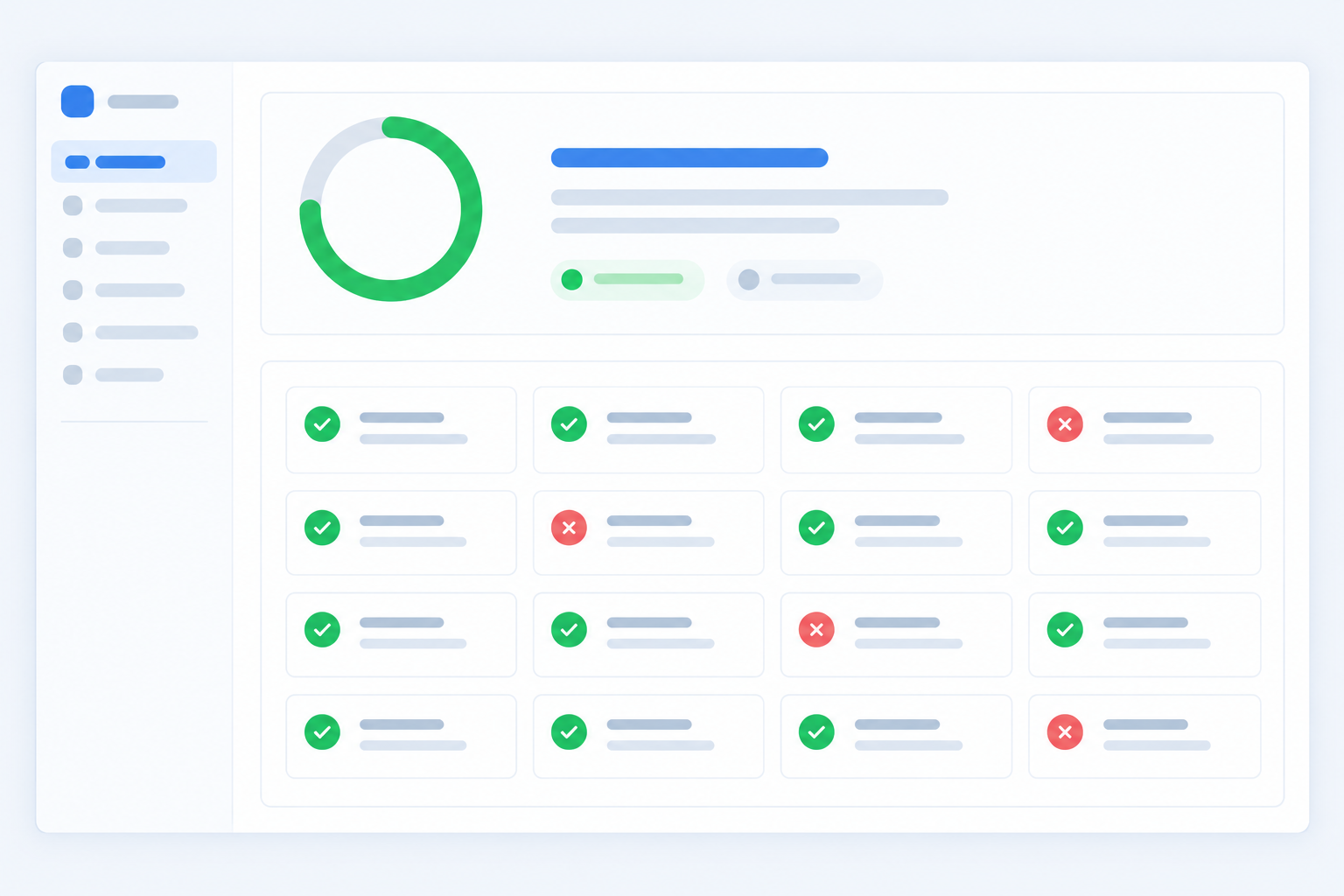
AI legibility checklist summary: what to fix this week
Access (Checks 1-6)
- robots.txt returns 200 and is error-free
- AI user agents deliberately allowed or blocked
- No 403s or challenges from CDN, WAF or rate limiting
- No stray noindex or nosnippet
- Core content in raw HTML
- No login walls, cookie walls or redirect chains
Content (Checks 7-11)
- One H1 and a descriptive heading hierarchy
- Answer in the first 100 words
- Clear statement of what you do, for whom and where
- Specific, dated, verifiable claims
- Key information in text, not images or tabs
Technical signals (Checks 12-16)
- Valid sitemap with accurate lastmod
- Valid JSON-LD matching visible content
- Correct canonicals, HTTPS, status codes and en-GB hreflang
- Fast, reliable pages with no broken links
- Optional llms.txt
The three highest-leverage AI legibility fixes
If you only have one afternoon, do these:
- Unblock retrieval bots in robots.txt and your firewall.
- Serve core content in HTML, not only after JavaScript runs.
- State your offer clearly on the homepage, naming what you do, who for and where.
A suggested 30-day AI legibility schedule
- Week one: access (Checks 1-4)
- Week two: rendering and reachability (Checks 5-6)
- Week three: content (Checks 7-11)
- Week four: schema, sitemaps, canonicals and monitoring (Checks 12-16)
Generative engine optimisation builds on this foundation, and AI SEO gains are cumulative: each blocker you fix makes every later improvement count for more.
Frequently asked questions about AI legibility
Can AI bots read JavaScript-heavy sites?
Inconsistently. Some crawlers fetch only the initial HTML and do not run JavaScript, so content rendered client-side may be invisible to them. The safest approach is server-side rendering or pre-rendering for pages you want cited, and comparing raw HTML with the rendered page to verify what a bot actually receives.
Should I create an llms.txt file?
It's optional. llms.txt is an unofficial proposal, and no major AI engine has confirmed that it uses the file for citations. It costs little to publish, so add it once your robots rules, rendering, content clarity and schema are sorted, but don't expect it to replace those fundamentals.
How do I know if I'm blocking AI crawlers?
Review your robots.txt for Disallow rules affecting AI user agents, test your pages with curl using those user-agent strings, check CDN and firewall logs for 403 or challenge responses, and look for noindex headers. An automated AI legibility audit performs these checks together and flags problems.
Will fixing AI legibility guarantee ChatGPT citations?
No. Legibility makes your site eligible to be read and cited, but whether you appear depends on relevance, authority and competition. Monitoring your AI visibility and share of voice over time shows whether your fixes are changing outcomes.