Cookieless AI Traffic Analytics: How to See Visits from ChatGPT, Perplexity and Other AI Engines
Learn how cookieless analytics reveals visits from ChatGPT, Perplexity and other AI engines by combining referrer data, user-agent signals and AI visibility metrics.
Cookieless Analytics for AI Traffic: How to See Visits from ChatGPT, Perplexity and Other AI Engines
Cookieless analytics can show you visits from AI engines. You combine referrer data, user-agent signals and landing-page patterns in server-side or privacy-friendly tooling, then read the result alongside your AI visibility data. Some AI-influenced visits will still be classed as direct, so aim for a defensible estimate that separates what you have confirmed from what you merely suspect. A perfect count isn't on offer. 📊
Below I explain why AI traffic is hard to see, which referrers and user agents to look for, and what cookieless measurement does and doesn't give you. I then walk through a seven-step setup and a reproducible method for connecting citations to visits, one that should survive scrutiny from a sceptical finance director.
Why AI traffic is hard to see in standard analytics
A citation is not a click, and a click is not a labelled session. That is the core problem. An AI answer often satisfies the user without any visit at all, so traffic is structurally lower than visibility. Pew Research Center's analysis of US Google users, published in July 2025, found that people clicked a traditional result in 8% of visits when an AI summary appeared, against 15% when none did. They clicked a link inside the summary in only about 1% of visits. That is Google rather than ChatGPT or Perplexity, so I treat it as context, not a direct measure of AI-assistant traffic.
SparkToro and Datos' 2024 zero-click study points the same way: 58.5% of US Google searches, and 59.7% in the EU, ended without a click to the open web. Adobe's early-2025 retail analysis reported generative-AI traffic to US retail sites up 1,300% year on year over the 2024 holiday season. That shows the channel can be material and fast-growing, though it says nothing about how much of it hides in direct. Gartner's February 2024 prediction of a 25% fall in traditional search volume by 2026 is a forecast, not a measurement. Even so, it is a fair reason to start reporting AI referrals explicitly.
Why does AI traffic appear as direct?
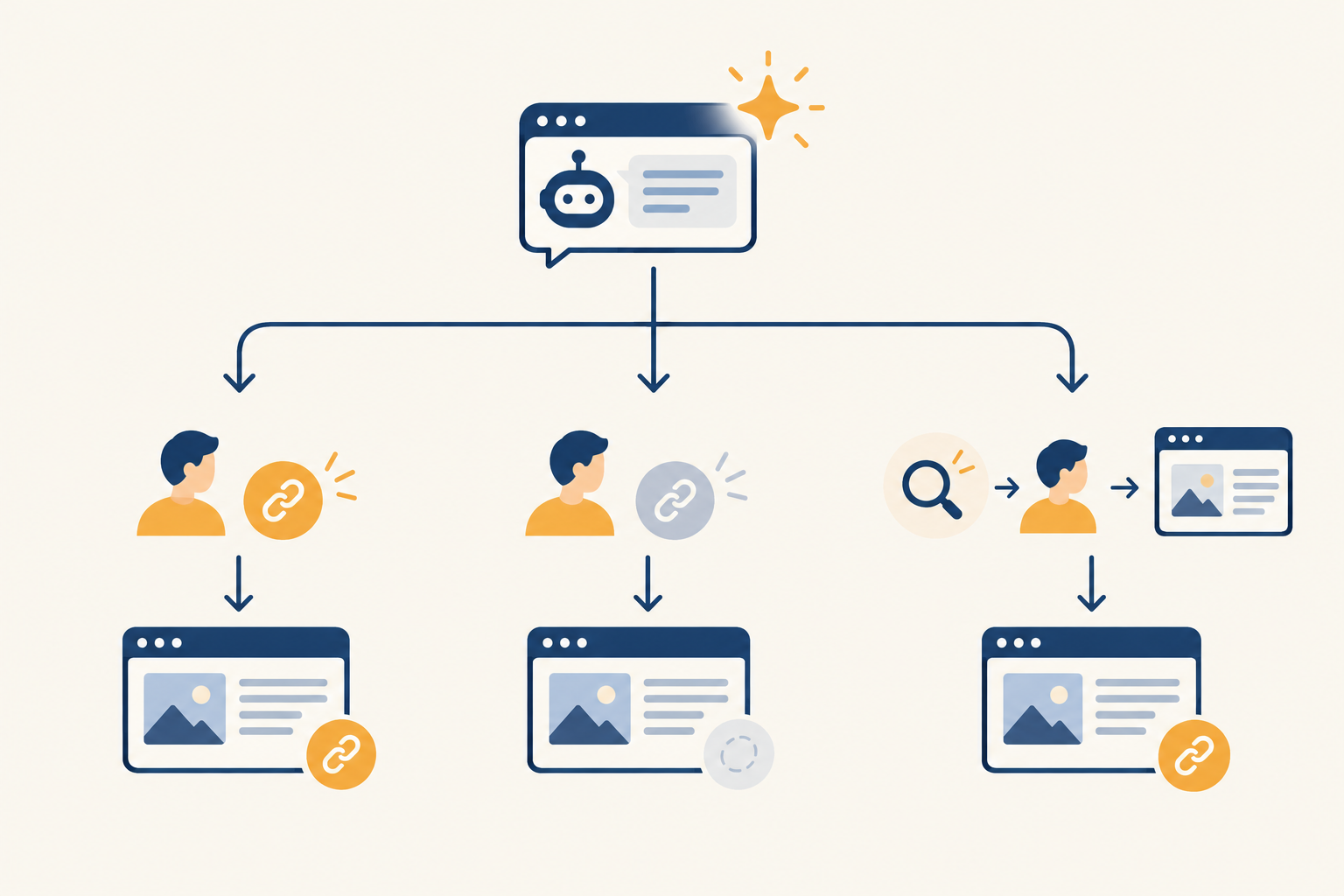
When a click does happen, standard analytics can label it only if the visit carries usable source information: an HTTP referrer, a campaign parameter or a recognisable landing-page signal. Google's documentation on default channel groups treats Direct as the bucket for visits where no source can be determined, which is not proof that someone typed a URL. An AI-influenced visit usually ends up there for one of four reasons:
- Missing or stripped referrers. Browser referrer policies,
rel=noreferrerlinks, redirects and URL shorteners can remove origin information. This is a general web limitation, and it is no evidence that any one engine always strips referrers. - In-app browsers and desktop apps that open links without passing the origin.
- Dark-funnel behaviour. A user reads a recommendation in an assistant, then types the brand name or URL later. That appears as direct or branded organic search, and no technical fix will recover it.
- Inconsistent campaign tagging. ChatGPT search links have been observed to carry
utm_source=chatgpt.com, which helps only when the parameter survives redirects and your analytics captures it. Other engines behave differently, so verify coverage against your own logs.
You can test this in about ten minutes. Ask an assistant a question that should cite your site, click the link on desktop and then on mobile, and check what your analytics and server logs recorded each time. Repeat across engines. In my experience the differences between a browser, a phone app and a webview teach you more than any published guide.
Two boundaries follow. First, I am not aware of a reliable, independently audited study giving the share of AI-referred sessions that land in direct, so anyone quoting a precise figure should be asked for the methodology. The research supports the mechanism but not a universal percentage. Second, keep an explicit unknown or direct category and never relabel all direct traffic as AI.
Human visits arriving from an AI answer are also different from bot requests. A crawler such as GPTBot requests pages for model-related purposes, and other agents fetch a page for a live query. Neither is a prospective customer, and counting them as visits overstates your audience.
AI traffic referrers and user agents to look for
Two families of signal answer different questions. Referrers describe human visits that arrived from an AI interface. User agents describe automated requests, which are evidence of engine activity but not of people. The table separates what providers document from what is merely commonly observed, and flags the weakest entries.
| AI engine | Human referrer domain (confidence) | Bot or fetch agents in server logs (confidence) |
|---|---|---|
| ChatGPT | chatgpt.com, chat.openai.com; utm_source=chatgpt.com where present (commonly observed; verify in your data) |
GPTBot (training), OAI-SearchBot (search indexing), ChatGPT-User (user-triggered fetch) (documented by OpenAI) |
| Perplexity | perplexity.ai (commonly observed) | PerplexityBot (indexing), Perplexity-User (user-triggered fetch) (documented by Perplexity) |
| Claude | claude.ai (uncertain; confirm in your data) | ClaudeBot, Claude-SearchBot, Claude-User (documented by Anthropic) |
| Gemini | gemini.google.com (uncertain; confirm in your data) | No separate log agent identified for Gemini answers (see note below) |
| Copilot | copilot.microsoft.com (uncertain; confirm in your data) | No Copilot-specific agent documented; Bingbot requests cannot be attributed to Copilot |
Last checked at the time of writing. Identifiers change, so re-verify this table against provider documentation, including Google's crawler overview, and your own logs every quarter. Treat uncertain entries as hypotheses until they appear in your data.
User-agent strings are classification clues, not proof of identity, because they can be changed or imitated. Where bot identification matters, verify requests against each provider's published guidance, such as IP ranges where offered. On Gemini, Google-Extended is a robots.txt control over whether your content is used for Google's generative AI models. It is not a separate agent that appears in logs.
What does a user-triggered fetch actually show? An entry such as ChatGPT-User records that an assistant fetched a URL after a user action. It doesn't establish that the page was cited, shown to the user or clicked, and it is not a human visit. Report these fetches as their own metric and never add them to session totals. Lean on the provider's documentation and the request context (URL, timing, frequency) to decide what you can infer. A rising count on one URL is a prompt to investigate, nothing more.
For grouping referrals in your analytics, create one custom channel that matches the referring host. Regex syntax varies by platform, so check what your tool expects. In GA4, which uses RE2-style expressions in a 'matches regex' condition on the source dimension, a pattern with single-escaped dots would be:
^(chatgpt\.com|chat\.openai\.com|perplexity\.ai|gemini\.google\.com|copilot\.microsoft\.com|claude\.ai)$
If your tool does not support regex, use a plain 'exactly matches' rule for each host in that list. Test before trusting it. chatgpt.com and perplexity.ai should match, while notchatgpt.com and perplexity.ai.example.org should not, because of the anchors. Source names and referrer hosts are not always the same field, and a utm_source value can override the referrer. Match on both, and keep the original host and landing page for drill-down. Without a custom rule, these visits usually fall into a generic referral channel and become invisible in practice.
One warning about Google AI Overviews. Google's guidance on AI features states that these features are included in ordinary Search Console performance reporting, so a click on a cited result typically appears as Google organic and cannot be separated by referrer alone. Do not claim that google.com referrals are AI Overview visits. Build a cautious view from Search Console trends and visibility monitoring instead.
Cookieless analytics basics: Do you need cookies to track AI traffic?
No. The signals that identify AI traffic are the referrer header, user agent, landing URL and request timing. They sit in the HTTP request itself and do not depend on a stored identifier. A web server can record the request and, where provided, the referring URL, and an analytics tool can classify the visit from that. This supports aggregate measurement. It does not follow a person across visits.
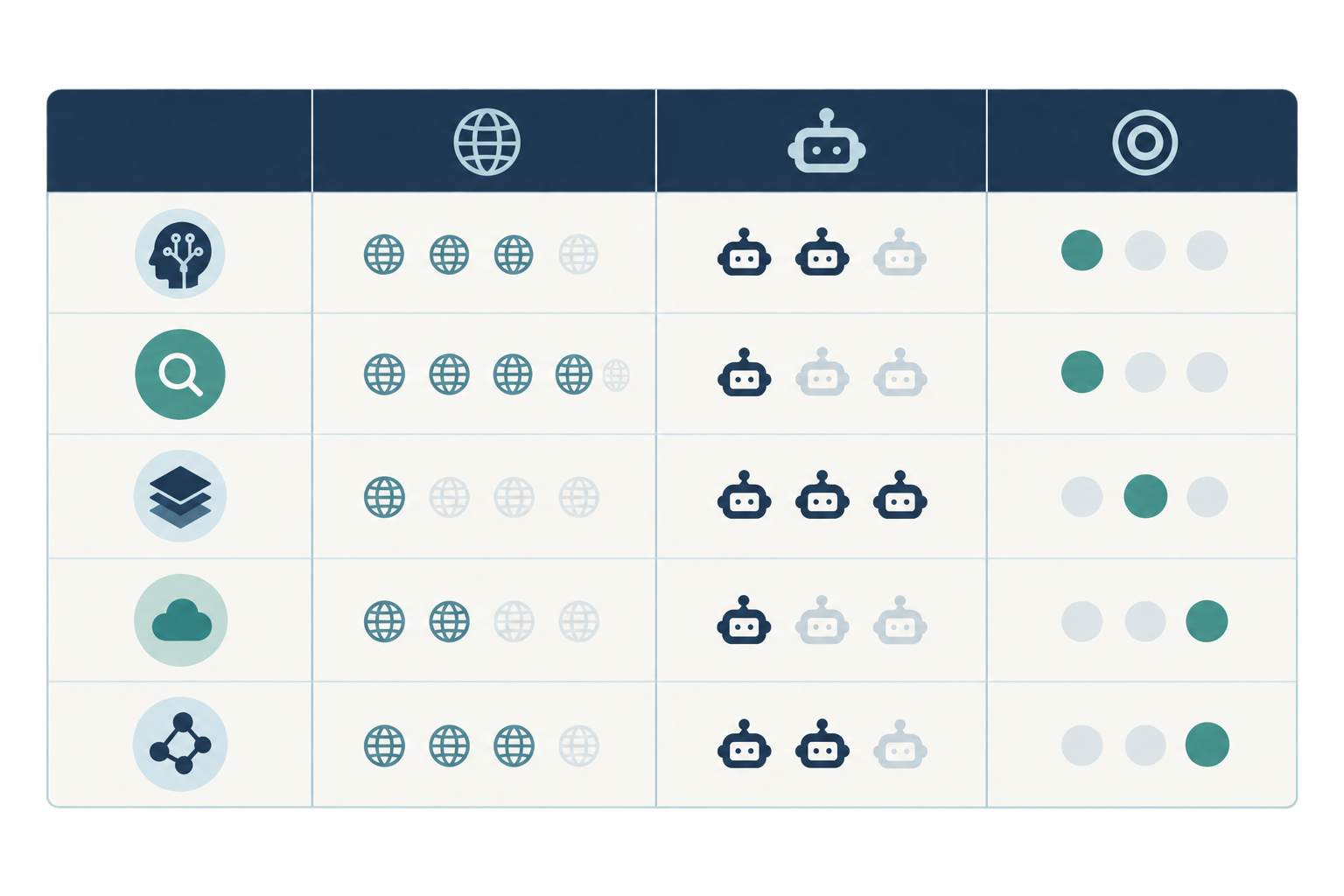
There are three main cookieless options:
- Privacy-first page-view analytics count sessions without a persistent cookie, often using a daily-rotating hash. Rotation limits persistence, but it doesn't by itself make data anonymous. Depending on the inputs (such as IP address and user agent) and how the tool is configured, the result may still be personal data or allow singling out. Check what each tool actually stores.
- Server log analysis records every request that reaches your server, including bots.
- Edge or CDN-level logging sees requests before client-side scripts run, so it doesn't depend on a consent banner having loaded.
The trade-offs deserve honesty. Cookieless tools generally lose cross-session journeys, so you cannot follow one person from an AI answer to a purchase a week later. They also can't recover a referrer that was never sent, and they shouldn't use covert fingerprinting to fill the gap.
This matters for UK reporting because many UK sites run consent-gated analytics under PECR, which means visitors who decline cookies may be missing from your reports. A consent-gated tool is therefore a floor for AI-referred sessions, not a total. A cookieless or server-side source may capture more of that traffic, but coverage depends on the tool, bot filtering and session definitions. Compare it against your existing data over the same 30 days before assuming it is more complete. If the two sources differ by a stable ratio, you can report the gap openly rather than silently switching methods.
On compliance, cookieless does not automatically mean consent-free or anonymous. PECR generally requires consent for storing or accessing information on a user's device unless an exemption applies, and the position depends on what your implementation does. The ICO's guidance on storage and access technologies is the right starting point. Server logs can also contain personal data under UK GDPR, such as IP addresses. Minimise what you retain, document what you collect and why, and confirm your position with a qualified adviser.
Product disclosure: MentionOwl, the platform I work with, offers cookieless AI traffic analytics alongside citation monitoring across ChatGPT, Claude, Gemini, Copilot and Perplexity. Whichever vendor you evaluate, ours included, ask the same questions. Does it show raw referrer and landing page? Does it separate bot fetches from sessions? Does it document what it stores and its legal basis? Can you export data to reconcile against your own server logs? Test the answers before you rely on any claim.
A step-by-step cookieless analytics setup for seeing AI visits
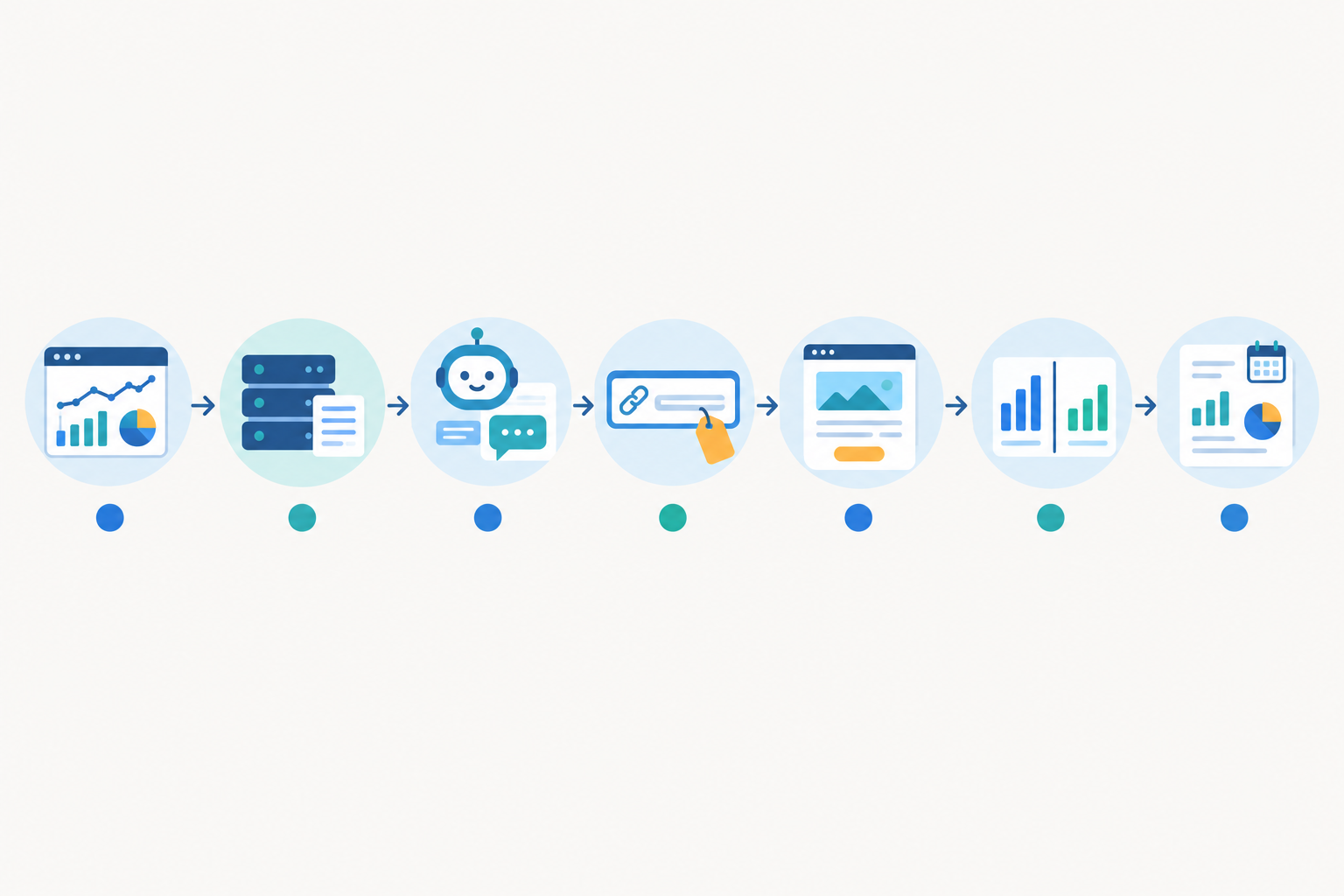
- Audit your current analytics. Record the share of sessions classed as direct or unassigned over the last 90 days. This is your baseline.
- Create a custom AI referral channel. Use the host-matching rule above, plus any
utm_sourcevalues that identify an engine, and preserve the raw source and landing page. - Capture server-side or CDN logs. Filter for AI user agents so bot fetches are separated from human visits, and keep crawler activity in its own report.
- Check AI legibility. Confirm that assistants can crawl and parse the pages you want cited, since blocked crawlers or poorly structured pages suppress citations and visits alike. Review robots.txt rules, rendering and structured content before you interpret any traffic gap.
- Tag links you control. Use consistent UTMs in documentation, directory listings and press releases so AI can be compared with other referrers. You cannot add UTMs to an engine's own citation links, so this complements referrer analysis.
- Review landing pages weekly. Note which URLs AI-referred visitors reach. One pattern worth testing is clustering on comparison, pricing and how-to pages, which would fit purchase-decision questions. Check whether it holds on your own site rather than assuming it.
- Record a monthly estimate in two separate tiers.
- Confirmed: sessions matched by referrer or an engine-identifying
utm_source. - Unattributed uplift under investigation: a rise in direct sessions on a cited page. To test it, annotate the date the citation first appeared, then compare the page with its own four-week pre-period and with similar uncited pages. Rule out campaigns, email sends, press coverage, seasonality, site releases and any change to your channel rules. Report an estimate only if the uplift survives those checks, and keep it out of the confirmed total.
- Confirmed: sessions matched by referrer or an engine-identifying
How to connect AI citations to website visits
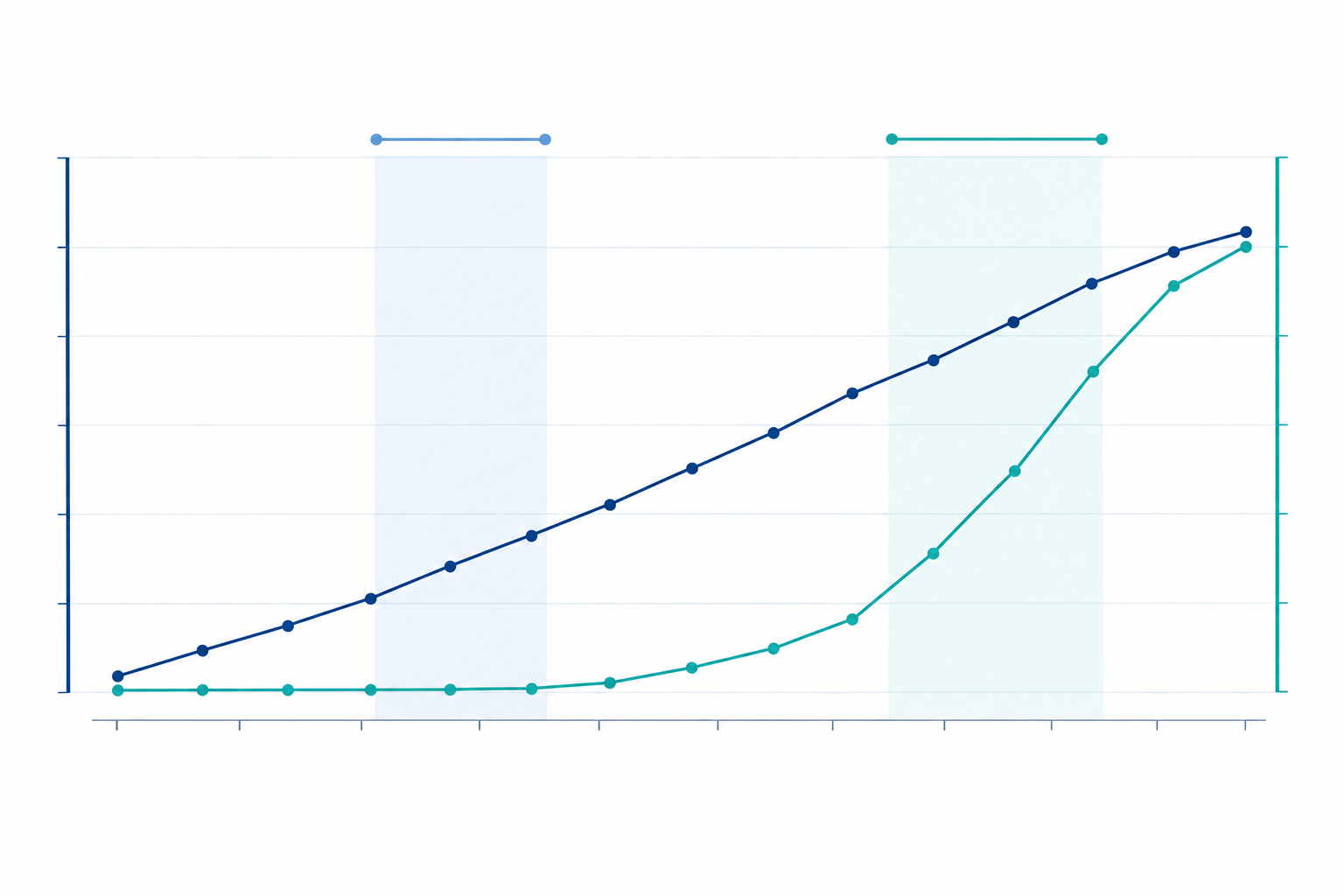
The central idea is to pair visibility data with traffic data. Visibility data tells you which queries cite you, in which position and on which engine. Traffic data tells you which URLs receive AI-referred sessions. Side by side, they let you test whether citations produce visits instead of assuming they do.
First, define your terms. A citation observation is one monitored prompt on one engine on one day in which your URL appears as a cited source, and repeated snapshots on the same day count once. Sessions per citation is confirmed AI-referred sessions to a URL divided by its citation observations over the same window. It is a monitoring-normalised diagnostic for comparing your own pages. It is not a click-through rate, and you shouldn't use it as a benchmark across brands, because you don't know how many people saw each answer.
Here is a worked example, with illustrative figures rather than benchmarks. Imagine a UK software firm whose pricing comparison page is cited across 40 monitored prompt-engine-days in a four-week window, with 18 referrer-matched AI sessions to that URL. Sessions per citation is 18 / 40 = 0.45. A how-to page cited on 25 observations with 3 sessions scores 0.12. That gap invites a hypothesis, perhaps that the pricing page offers something an answer can't, which you can test but which the ratio does not prove. If direct sessions to the pricing page also rose against its pre-period and against uncited control pages, log that under uplift under investigation rather than adding it to the 18.
A few rules keep the exercise honest:
- Use rolling four-week windows, as weekly views are usually too noisy for modest volumes.
- As a rule of thumb rather than a statistical standard, treat a URL with fewer than roughly 20 citation observations or 30 sessions in a window as directional only.
- Position weighting, which credits a first-position citation more than a fourth-position one, is a reasonable design choice. I am not aware of a published study showing weighted citations track visits better than raw counts, so test both against your own data.
When you chart these together, three patterns tend to emerge.
- Cited but no visits. The answer may be self-sufficient, or the link unattractive. Ask whether the page offers something the answer can't, such as a calculator or pricing detail.
- Visits but few tracked citations. This usually signals a monitoring coverage gap, or brand mentions without a link. Expand the prompts you monitor.
- Aligned movement. Citations and sessions rise together, which is suggestive evidence that visibility is producing visitors.
Share of voice adds context. A rising visibility score means little for traffic if a rival holds the first citation on high-intent queries. Above all, be careful about causation. Correlation across a few weeks is suggestive and nothing more, and a citation report and a referral report are two different views that should not be presented as a one-to-one user journey.
Reporting AI traffic alongside visibility metrics
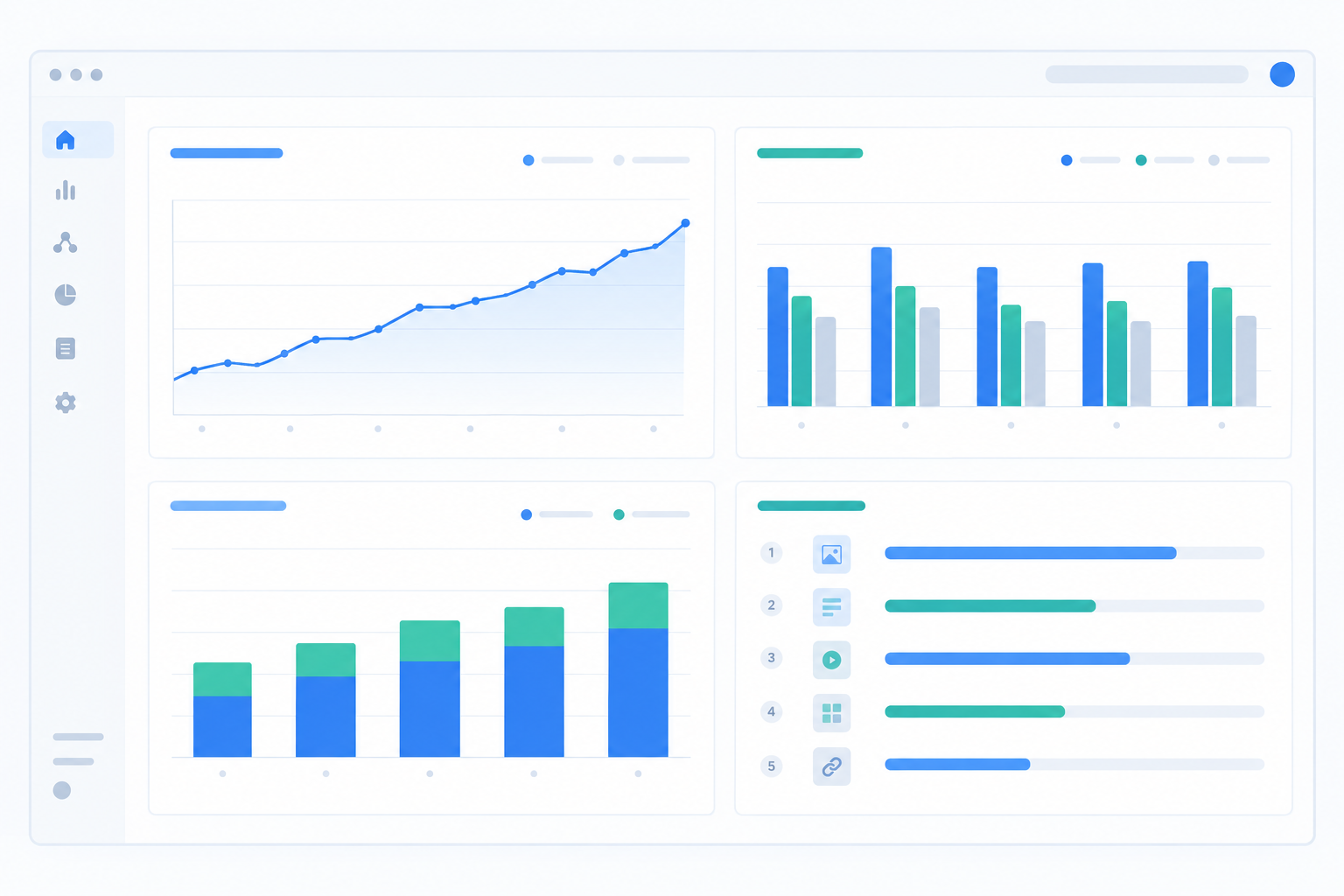
Keep the layout clear and vendor-neutral so stakeholders stay focused. I recommend including:
- A visibility trend across engines, with the calculation method stated.
- Share of voice versus named competitors.
- AI-referred sessions, split into confirmed and under-investigation figures, with a note on how consent affects coverage in your tool.
- Bot fetch volume, reported separately and including user-triggered fetches.
- Top landing pages reached by AI visitors.
- Commercial outcomes such as sign-ups, trial starts or orders. Low volumes make conversion rates volatile, so read them with care.
- Sentiment and accuracy notes, since a citation that misdescribes your product can send visitors with the wrong expectations.
A weekly digest suits operational tweaks, a monthly summary suits leadership, and a quarterly review suits generative engine optimization priorities. Whatever tool you choose, check whether it offers an API, export or other programmatic access so visibility and traffic data can feed your existing dashboards. Manual stitching is usually why these reports lapse after a month.
Common mistakes when measuring AI traffic
- Counting crawler or fetch hits as human visits. This is the fastest way to inflate your numbers and lose credibility.
- Expecting AI referrals to match search volumes. Judge them on intent and conversion quality rather than raw scale.
- Writing off the direct channel, or over-reading it. Treat spikes on cited pages as hypotheses, and test them with a pre-period and control pages.
- Optimising for queries no buyer would ask. Citations on irrelevant prompts add to a visibility score without adding revenue.
- Changing channel definitions mid-quarter. Version your rules and annotate any change so trends stay comparable.
Frequently asked questions about cookieless analytics and AI traffic
How do I know if ChatGPT sends me traffic?
Check your analytics for referrals from chatgpt.com and for utm_source values that identify ChatGPT, then review server logs for ChatGPT-User fetches, which are not human visits. Direct-traffic changes on pages you know are cited are a hypothesis to test, not confirmed ChatGPT traffic. Pairing this with ChatGPT citation monitoring shows which pages are most likely to receive visits.
Why does AI traffic appear as direct?
Missing referrers, in-app browsers, redirects and later typed visits all leave analytics with no usable origin. Some AI-influenced visits will therefore sit in direct and can't be reliably recovered.
Do I need cookies to track AI traffic?
No. The referrer, user agent and landing page are part of the request itself, so server logs and cookieless analytics can capture them. That does not exempt measurement from PECR or UK GDPR, so check the ICO's guidance and take advice where unsure.
Is a bot fetch from an AI crawler the same as a visit?
No. A fetch shows an engine accessed your page, but not that anyone saw or clicked it. Report it separately from referred visits.
Does a higher AI visibility score guarantee more traffic?
Not automatically. Visibility shows how often and how prominently you are cited, while traffic depends on whether users click through. Tracking both side by side, using the definitions above, is the most reliable way to see how they relate for your brand.